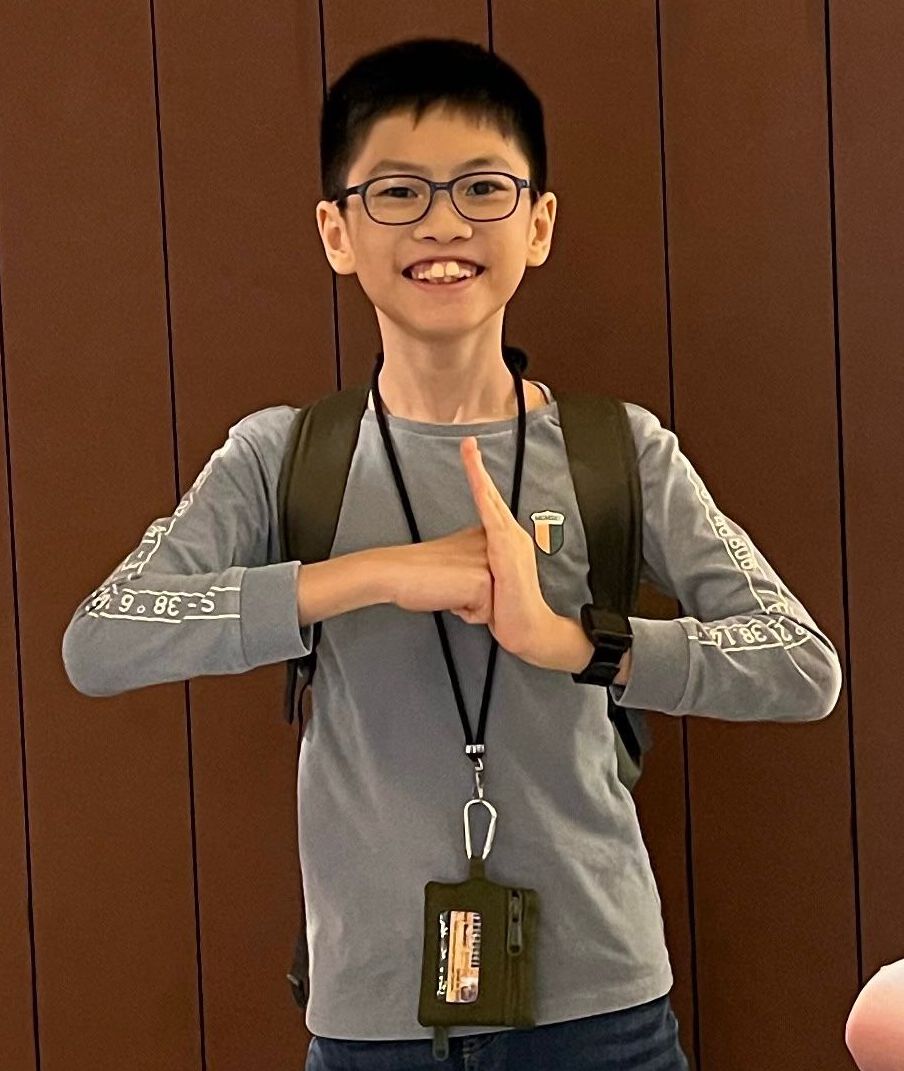
Teh Yi Feng's Coding Projects
Hi, I'm Yi Feng! I enjoy building robots and using coding to solve real-world problems. Starting with block-based coding helped me understand how to control my robots and test new ideas. Later, I wanted to learn something more advanced, so I began using Python. Python showed me how to write my own programs and think in new ways. Combining robotics and Python makes me excited to create projects that can help others and make learning fun. I hope you enjoy seeing what I have built!
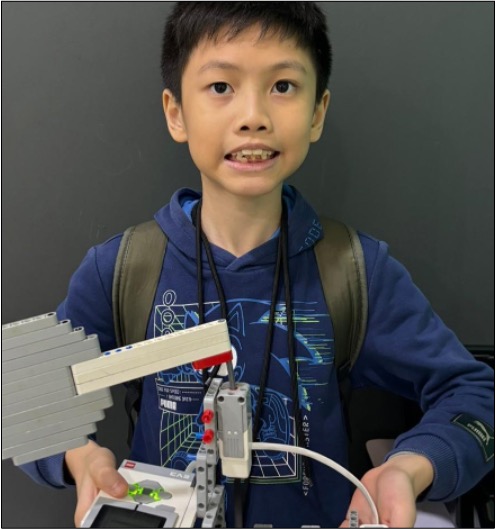
Touch Sensor Table Tennis Racket
I wanted to create a table tennis racket that could be activated by touch sensor. Using the coding concepts of conditionals (if else statements), I created a racket that would swing and hit a ping pong ball when the touch sensor is pressed.
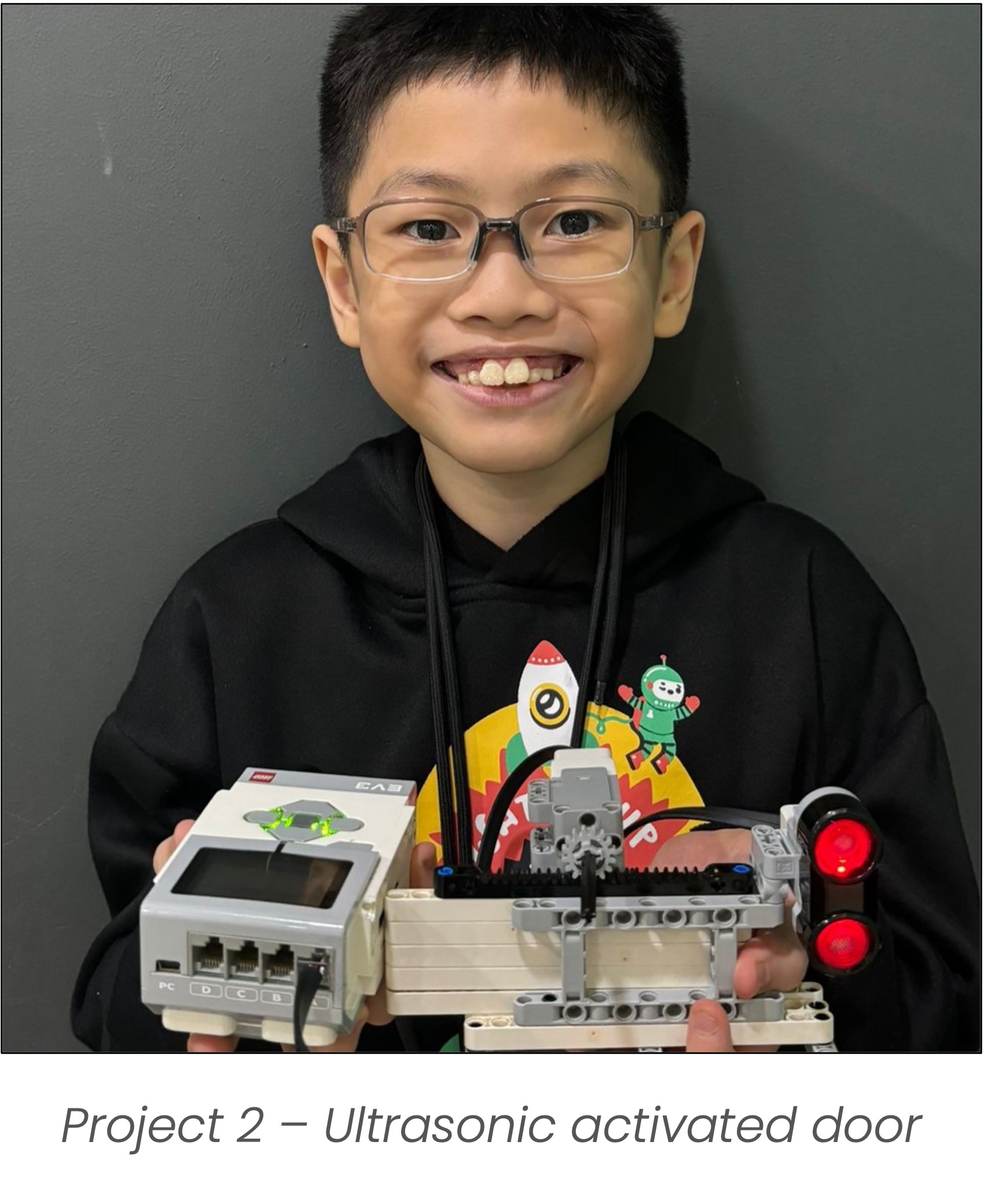
Ultrasonic Sensor Activated Door
Using an ultrasonic sensor, I re-created the door of a shopping center that opens automatically whenever a person is within a specific distance from the door.
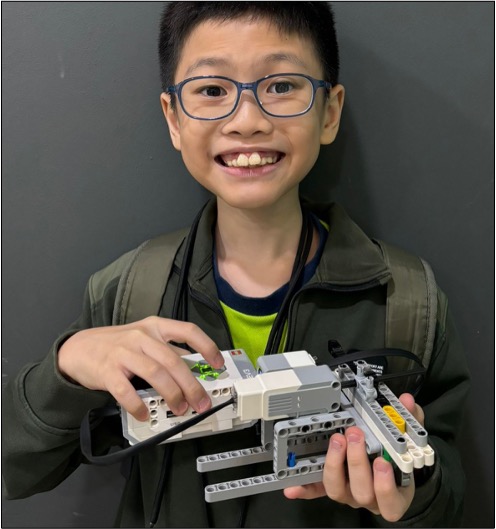
Color Activated Shooter
Having played at the arcade frequently, I decided to create a secure and precise shooter that fires a shot whenever the two colour sensors detect 2 specific colours in a coded order using the coding concept of conditional loops.
Description:
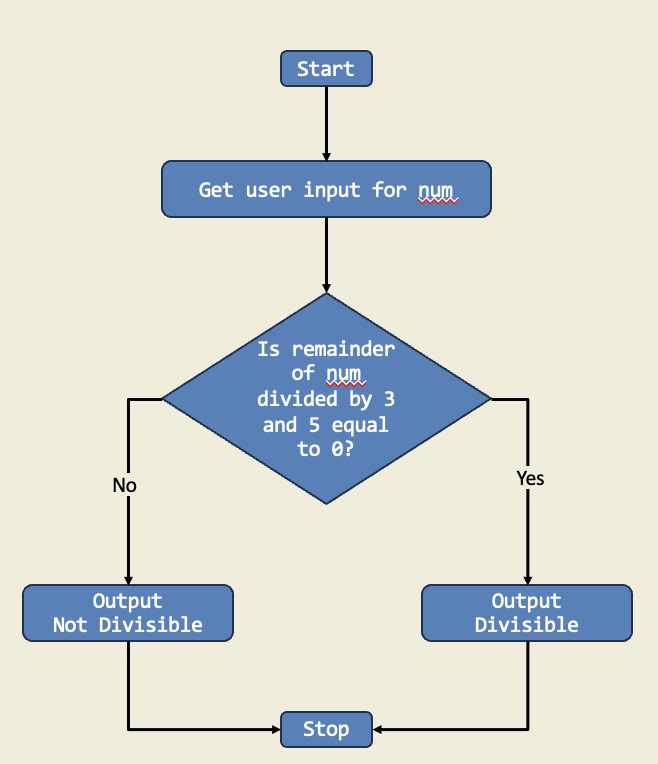
I have built a Python module named **divisibility_tester.py** to check if a user-input number is divisible by both 3 and 5 using floor division and modulo.
Diagram:
Trinket:
Description:
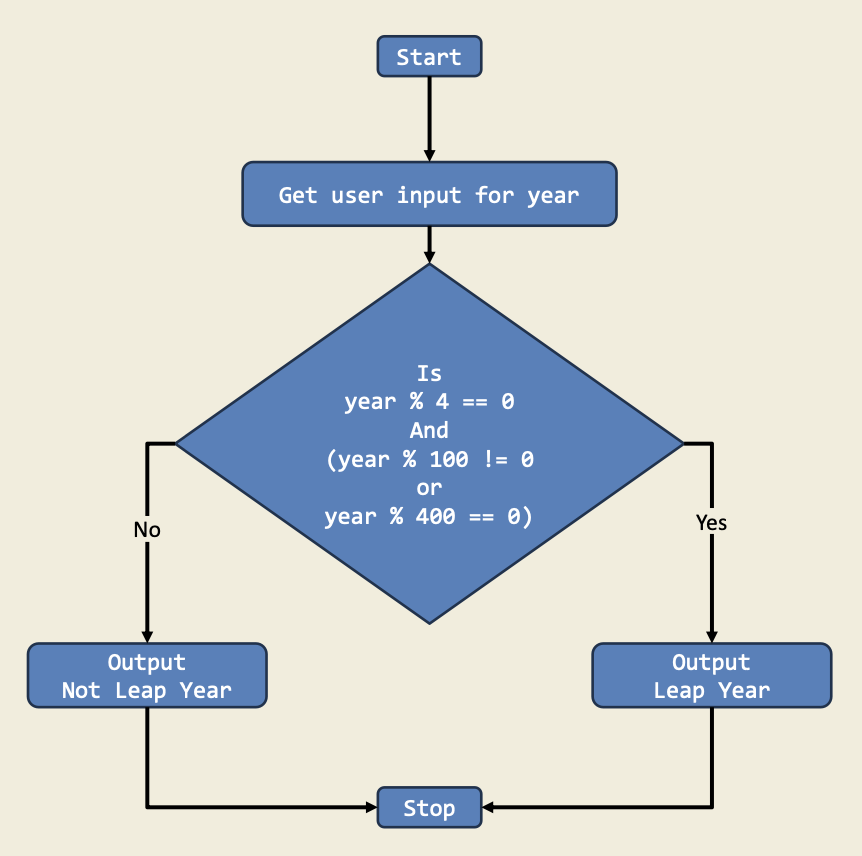
This program checks if a given year is a leap year by using if-else statements to handle divisibility by 4, 100, and 400. It demonstrates how to make decisions in code based on multiple conditions.
Diagram:
Trinket:
Description:
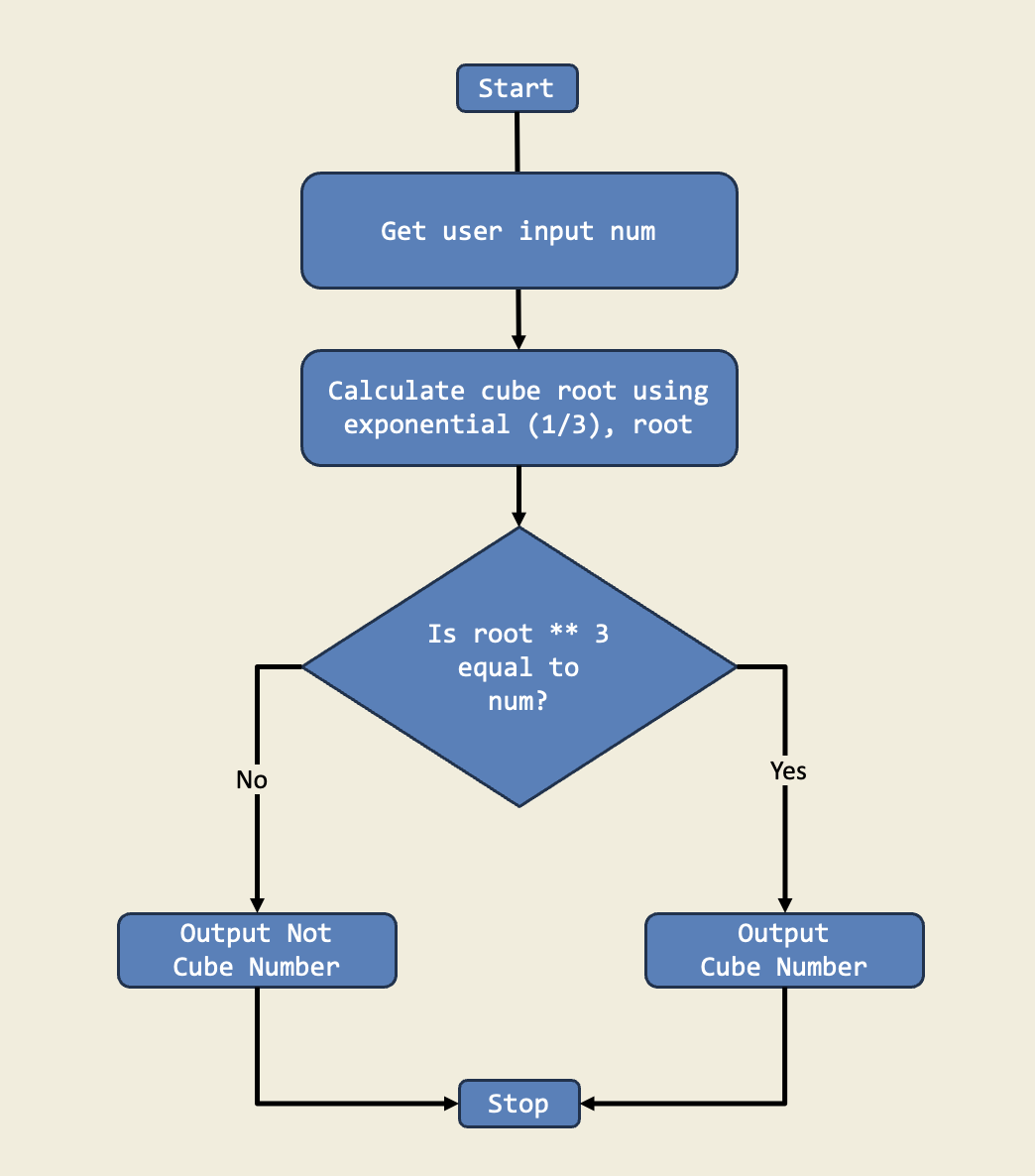
In this project, I wrote a program that checks if a number is a perfect cube by calculating its cube root and comparing it to the original number using if-else statements. This shows how decisions in code help solve math puzzles.
Diagram:
Trinket:
Description:
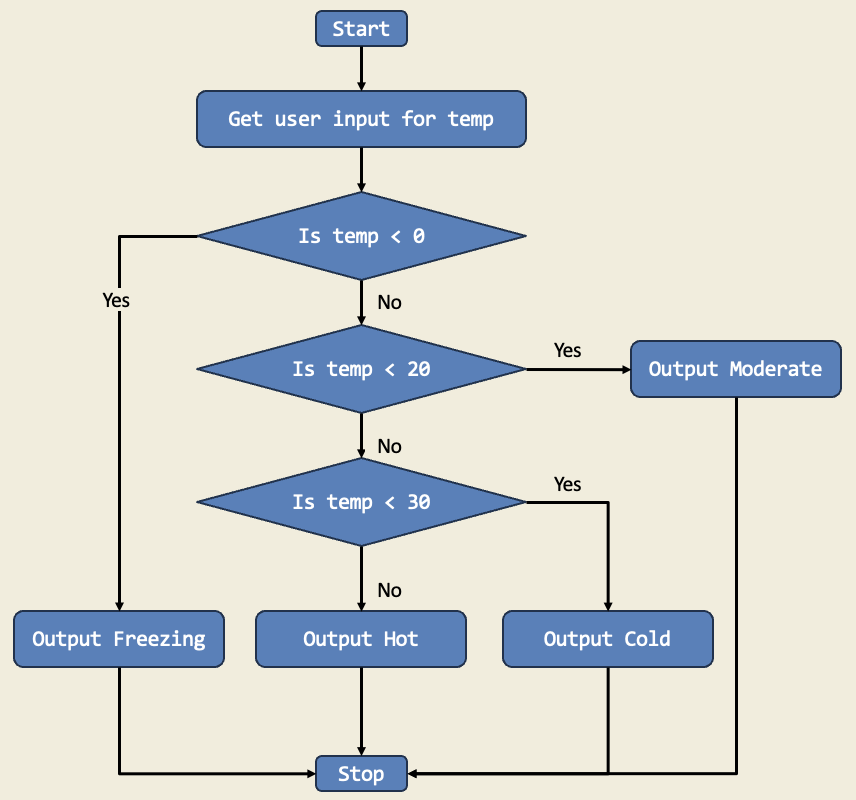
I designed a weather application. I developed a Python program that takes in the user's input for the current temperature in Celsius and classifies it into different categories: "Freezing," "Cold," "Moderate," and "Hot."
Diagram:
Trinket:
Description:
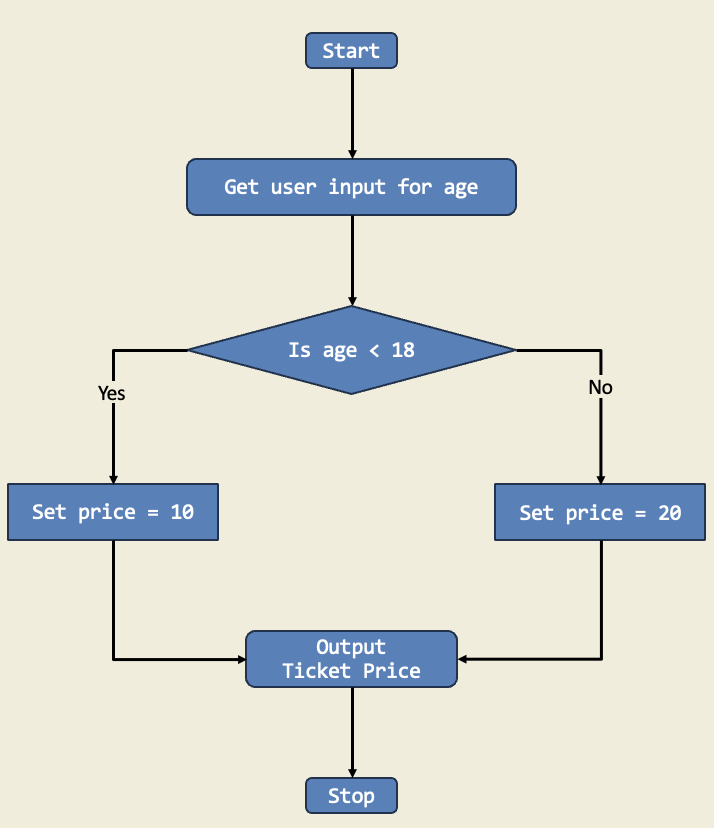
I designed a simple movie theatre ticketing system that uses if-else statements to determine the ticket price based on the age of the customer. If the customer is under 18, they get the child ticket price, else they get the adult ticket price.
Diagram:
Trinket:
Description:
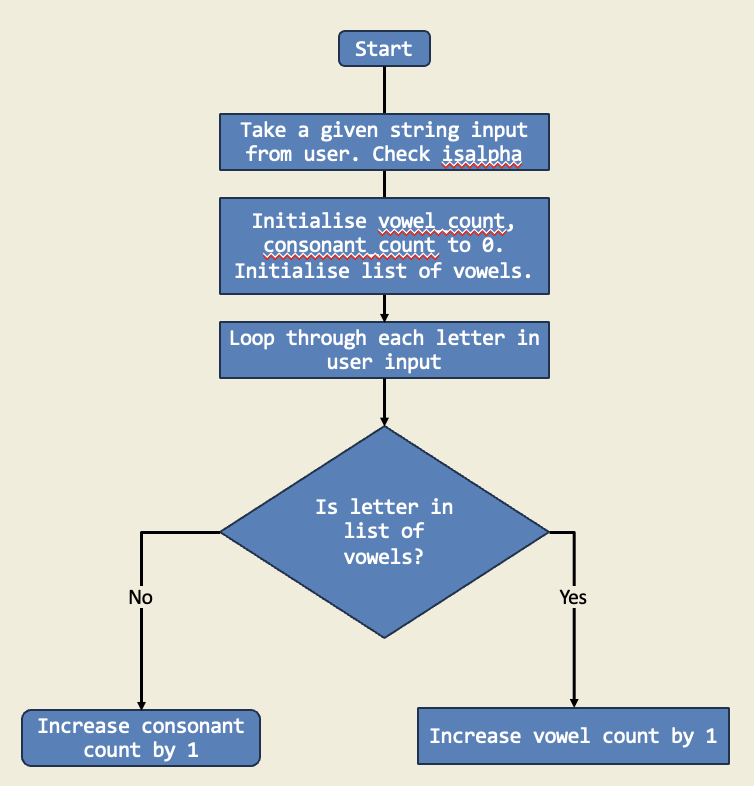
In this project, I used a for loop to count the number of vowels and consonants in a given string. The loop iterates through each character in the string, checking if it is a vowel or consonant, and updates the counts accordingly.
Diagram:
Trinket:
Description:
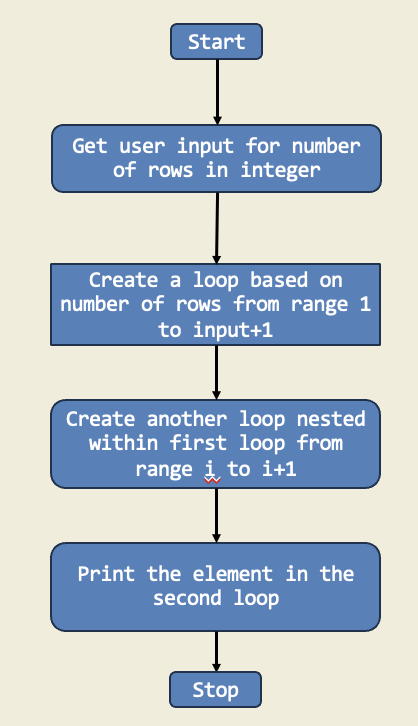
In this project, I created a number pyramid using nested for loops. The outer loop controls the number of rows, while the inner loop prints the numbers in each row. This project demonstrates how to use loops to create patterns and shapes in Python.
Diagram:
Trinket:
Description:
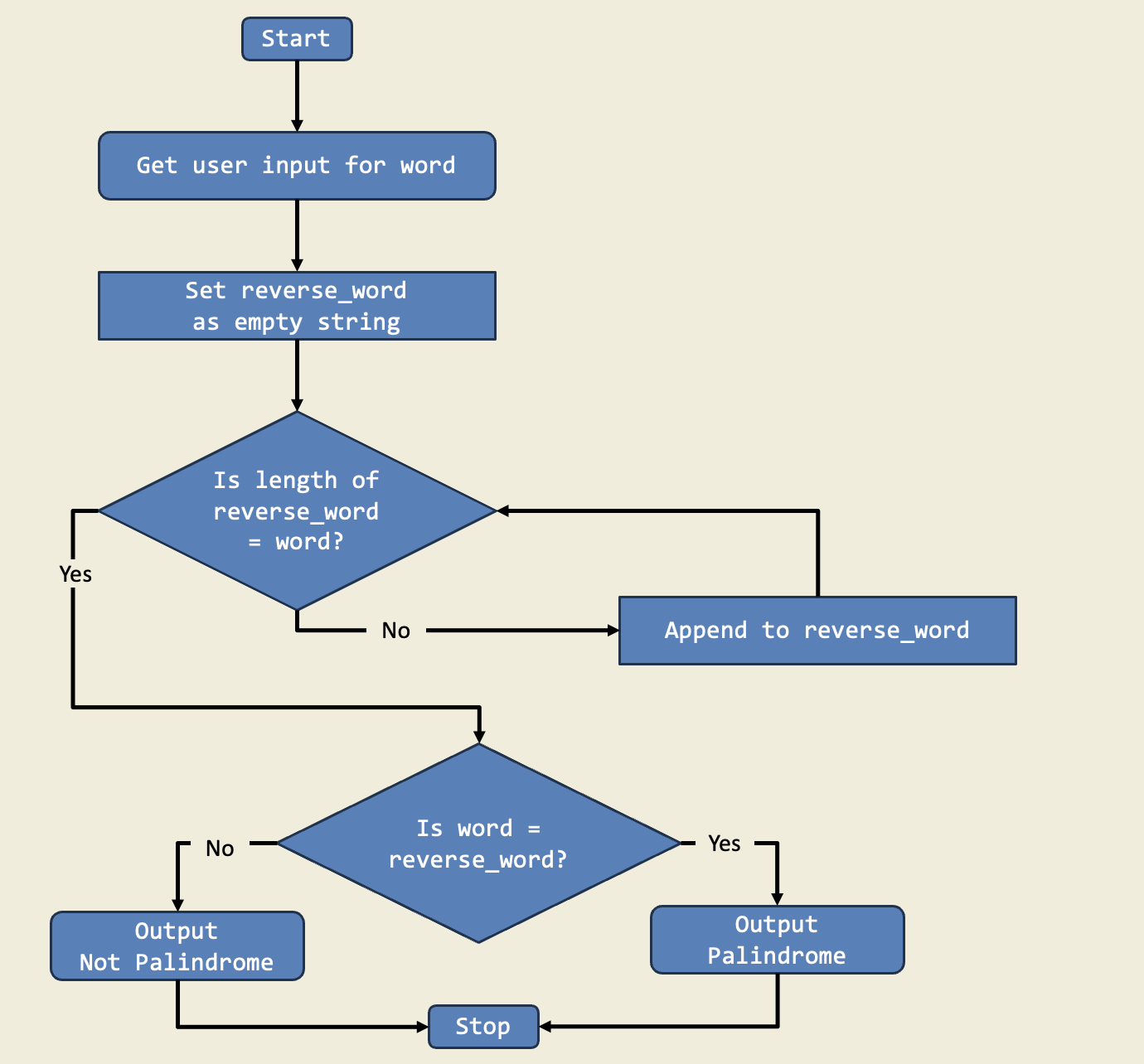
In this project, I used a while loop to reverse a word and check if it is a palindrome. The loop goes through every letter until the word is reversed. This is important because while loops let me repeat actions until they’re done, which is useful for checking words.
Diagram:
Trinket:
Description:
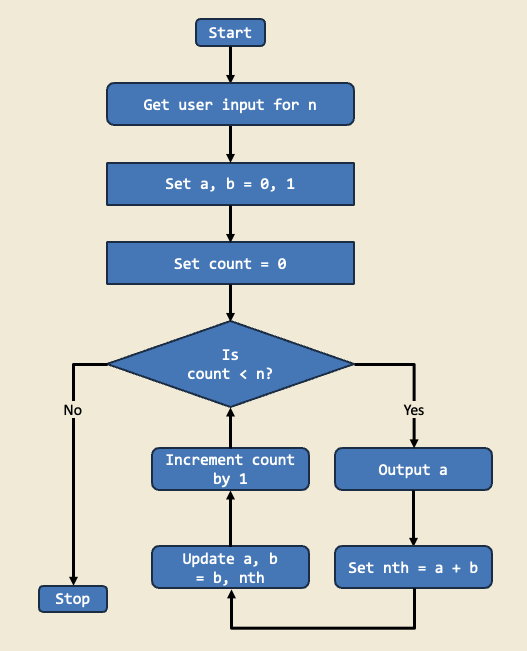
This project generates the Fibonacci sequence up to a specified number of terms. It demonstrates the use of loops and variables to calculate each term based on the sum of the two preceding numbers, a classic example in programming.
Diagram:
Trinket:
Description:
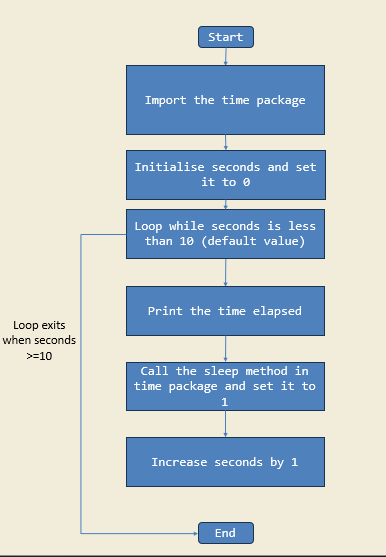
In this project, I created a simple program that lets the user start a stopwatch that counts up from 0 until they press a key to stop.
Diagram:
Trinket:
Description:
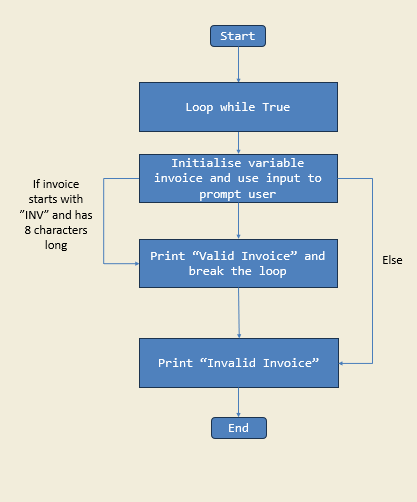
In this project, I created a program that verifies invoice numbers entered by the user. I used a while loop to repeatedly prompt the user until the input meets the required format. The program checks two conditions: the invoice number must begin with “INV” and must be exactly eight characters long. If the input is invalid, the program displays an error message and asks again. Through this task, I learned how to validate user input, use string functions like startswith(), and apply logical conditions within loops to control program flow..
Diagram:
Trinket:
Description:
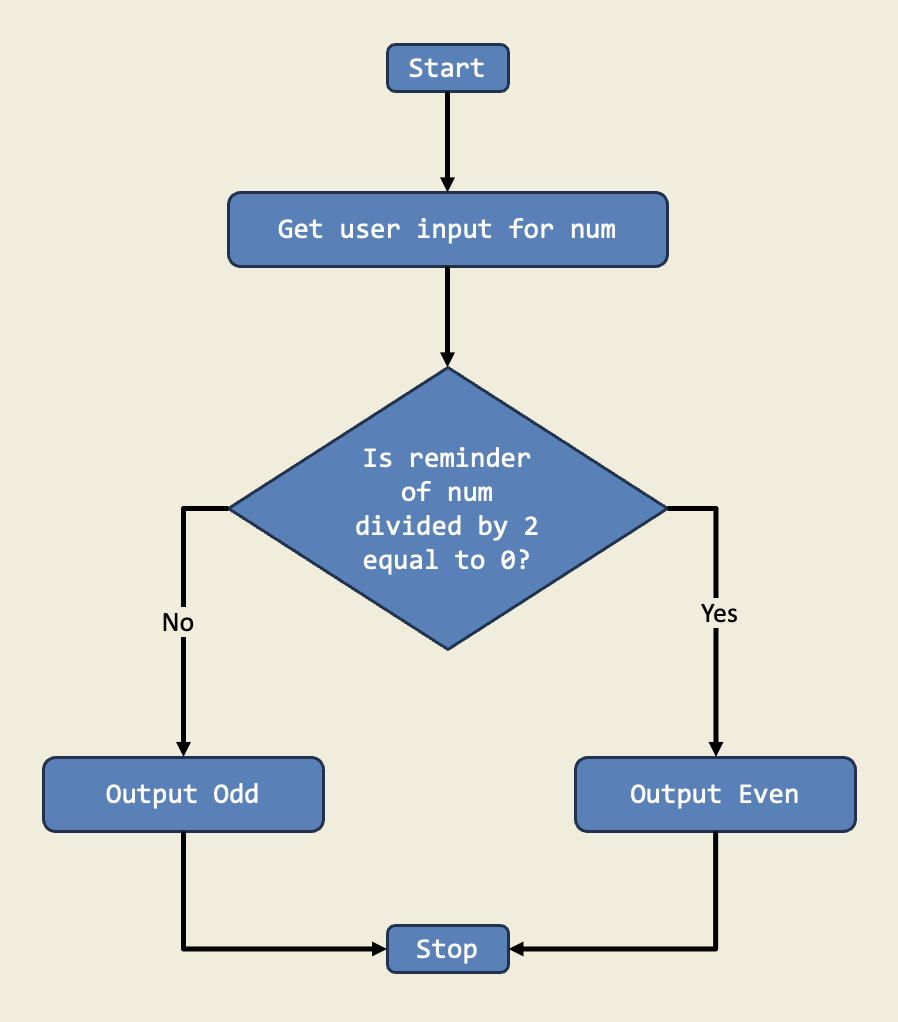
In this project, I designed a program that checks if a number is even or odd using if-else statements. This project teaches me how to make decisions in code based on conditions.
Diagram:
Trinket:
Description:
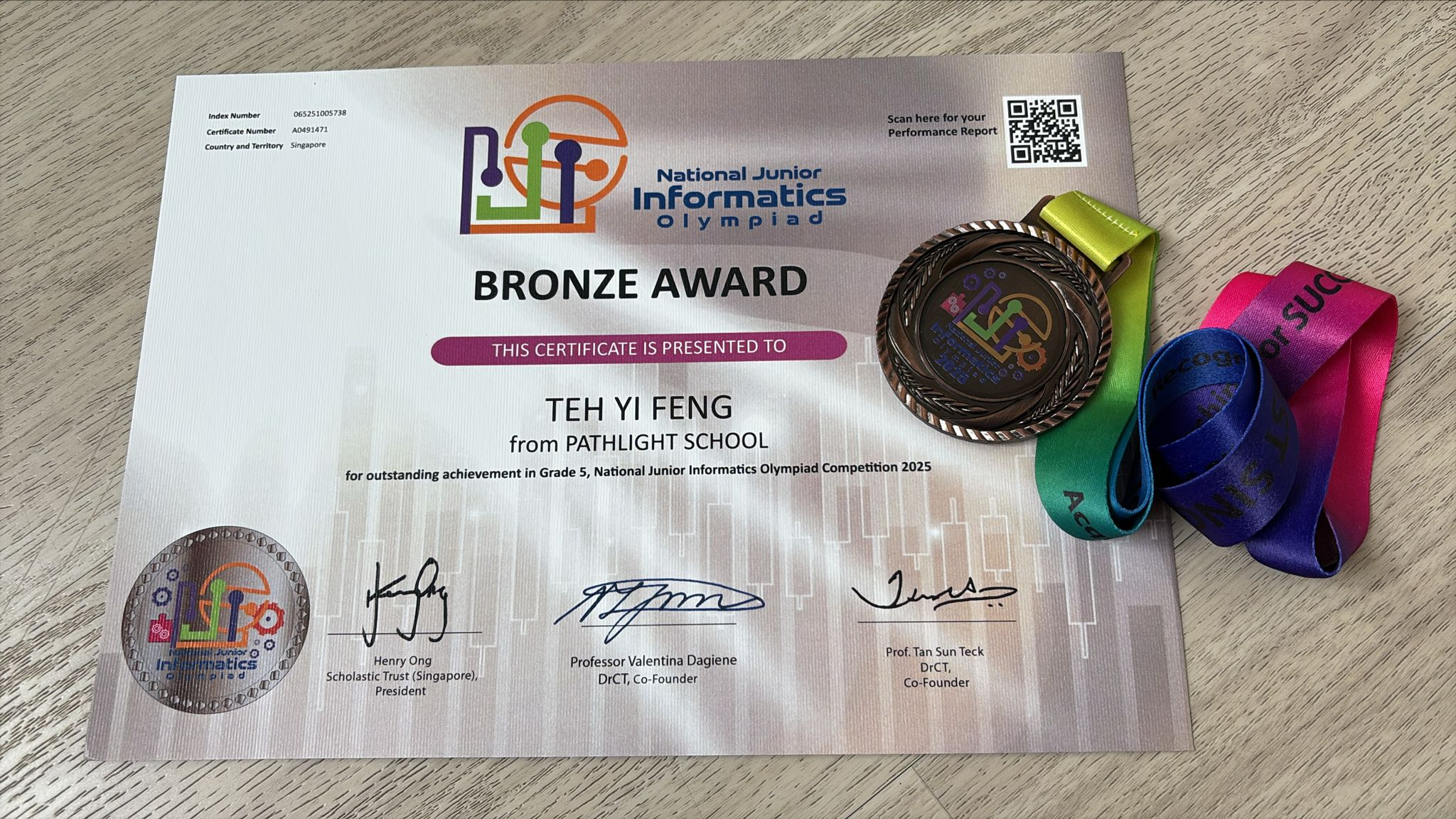
These certificates were awarded in recognition for Yi Feng’s outstanding performance in the National Junior Informatics Olympiad 2025, recognizing his skills in logical reasoning ability, algorithmic and computational thinking skills.
Description:
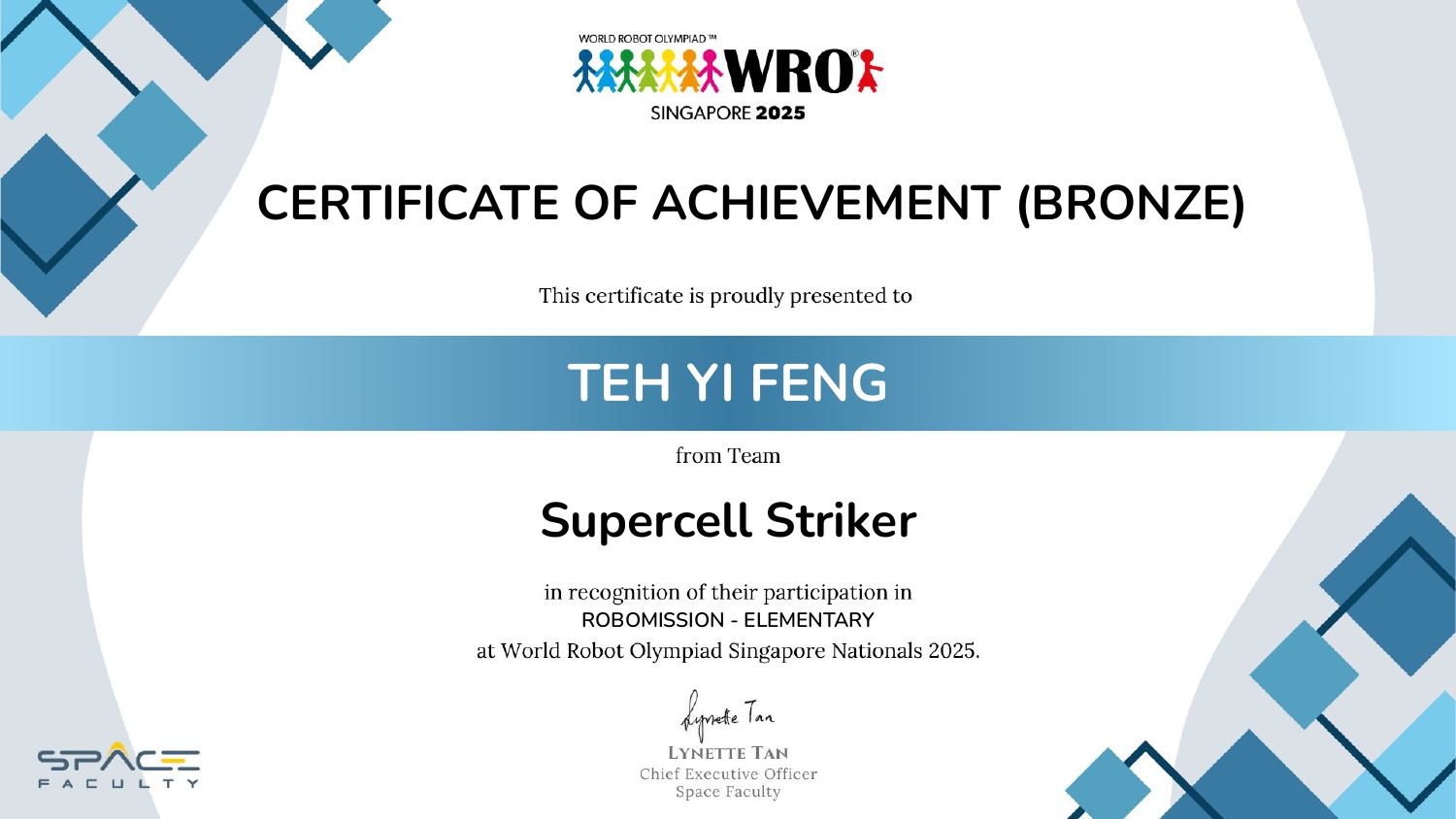
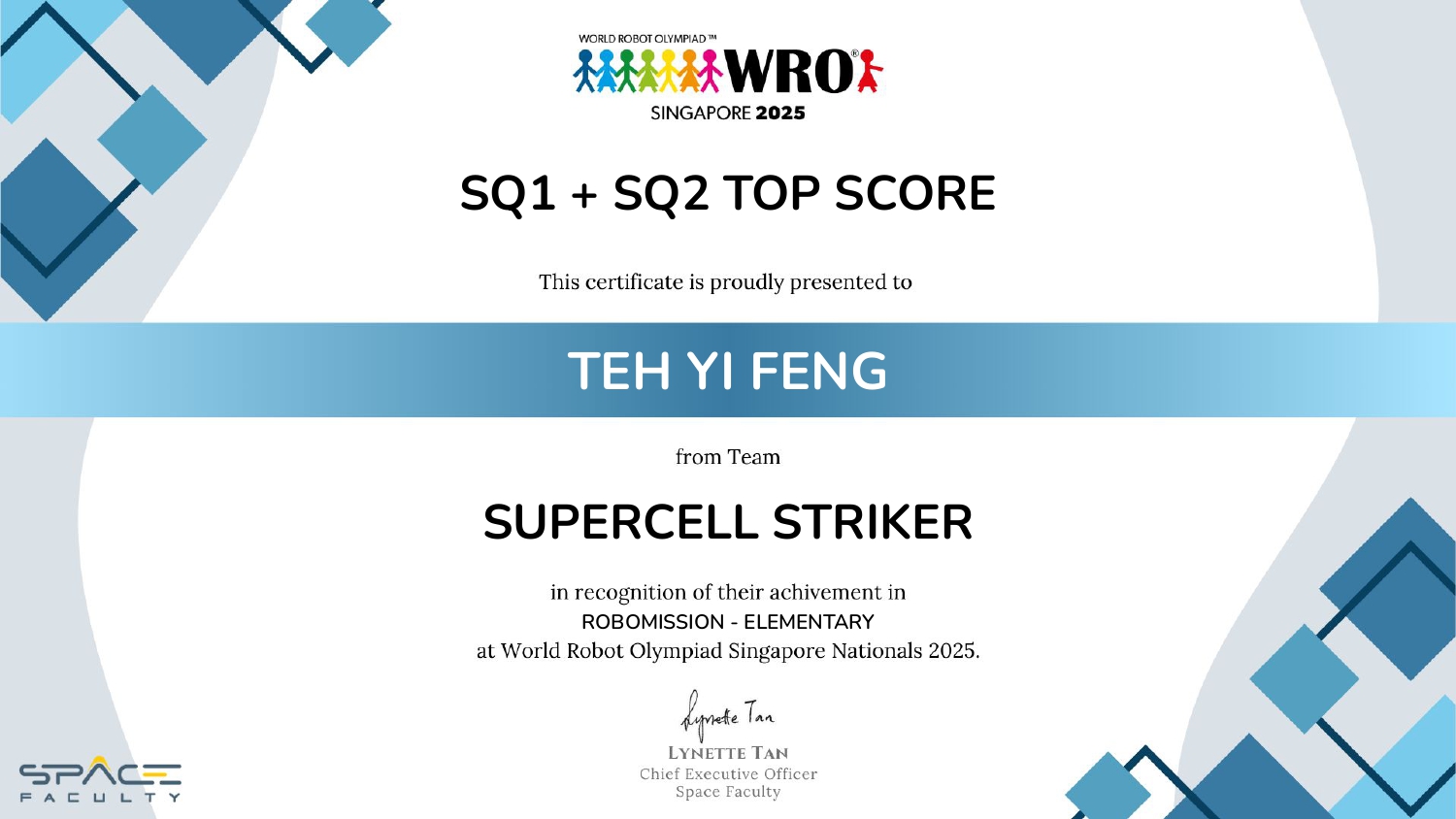
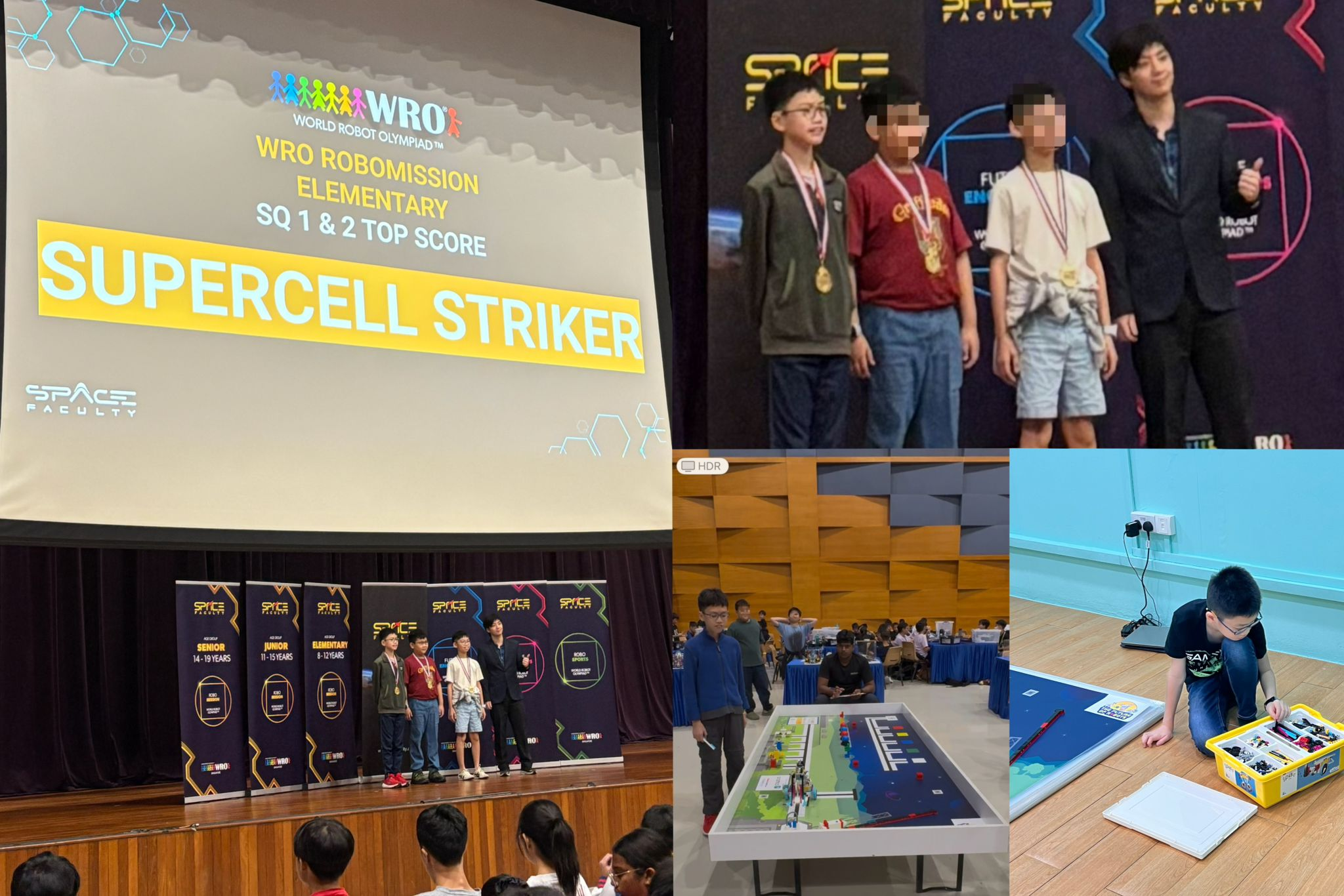
These certificates were awarded in recognition for Yi Feng’s outstanding performance in the World Robot Olympiad Singapore Nationals, recognizing his skills in robotic challenges.
Description:
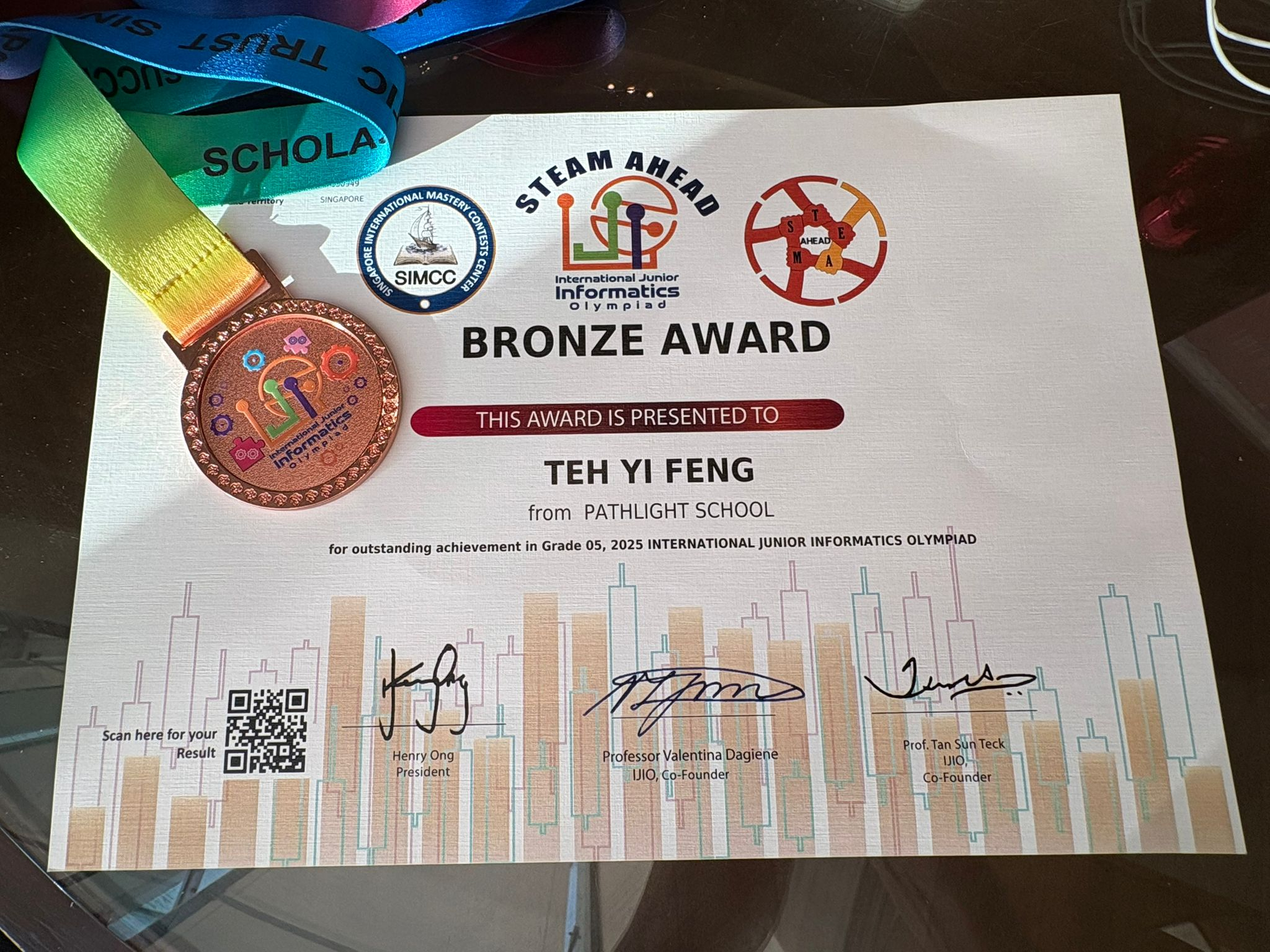
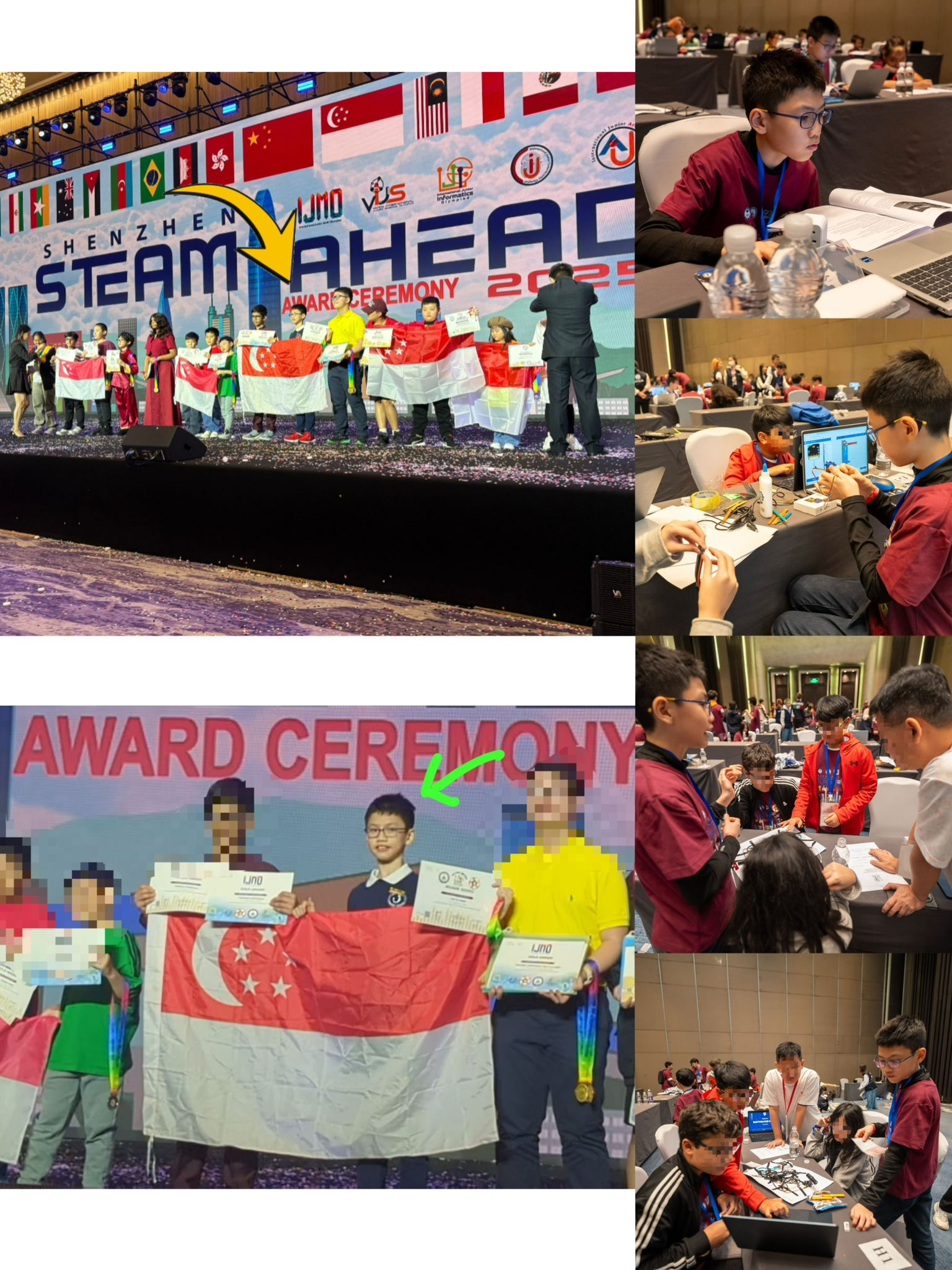
These certificates were awarded in recognition for Yi Feng’s outstanding performance in the International Junior Informatics Olympiad 2025, recognizing his skills in computer science, computational thinking, and problem-solving.