Myra Gautam's Coding Projects
I am a Primary 6 student at St. Margaret’s School (Primary). I enjoy coding, playing the piano, reading Harry Potter books, and playing sports such as swimming and badminton. I am a kind, fun-loving, and determined girl who is well supported by my parents, grandparents, and friends. I grew up in Singapore and am part of the Executive Committee of Student Leaders in my school. I am trilingual and can speak English, Hindi, and Chinese. In the future, I aspire to become a neurologist, and I value friendship, good social skills, and strong character development.
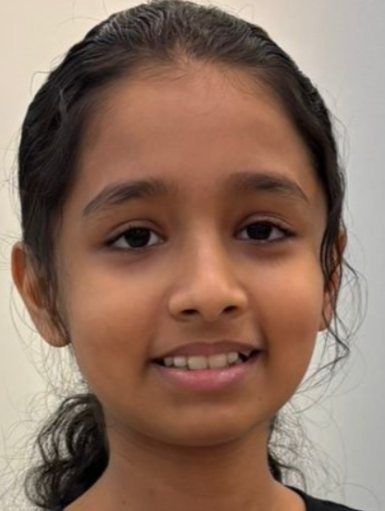
Tractor with Ultrasonic Sensor
I built a semi autonomous tractor equipped with ultrasonic sensor to detect and avoid obstacles, helping farms operate machinery safely and efficiently in varied terrain.
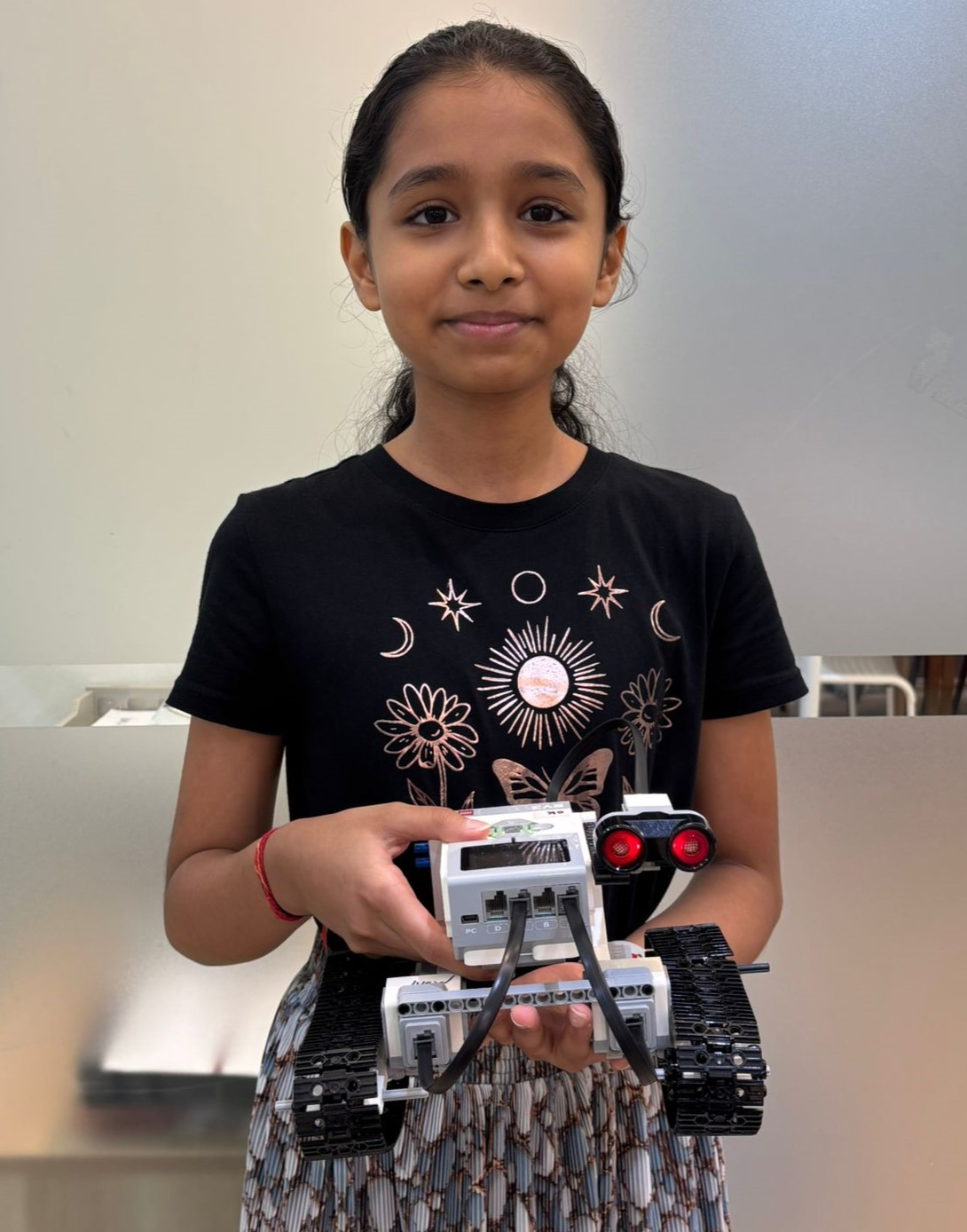
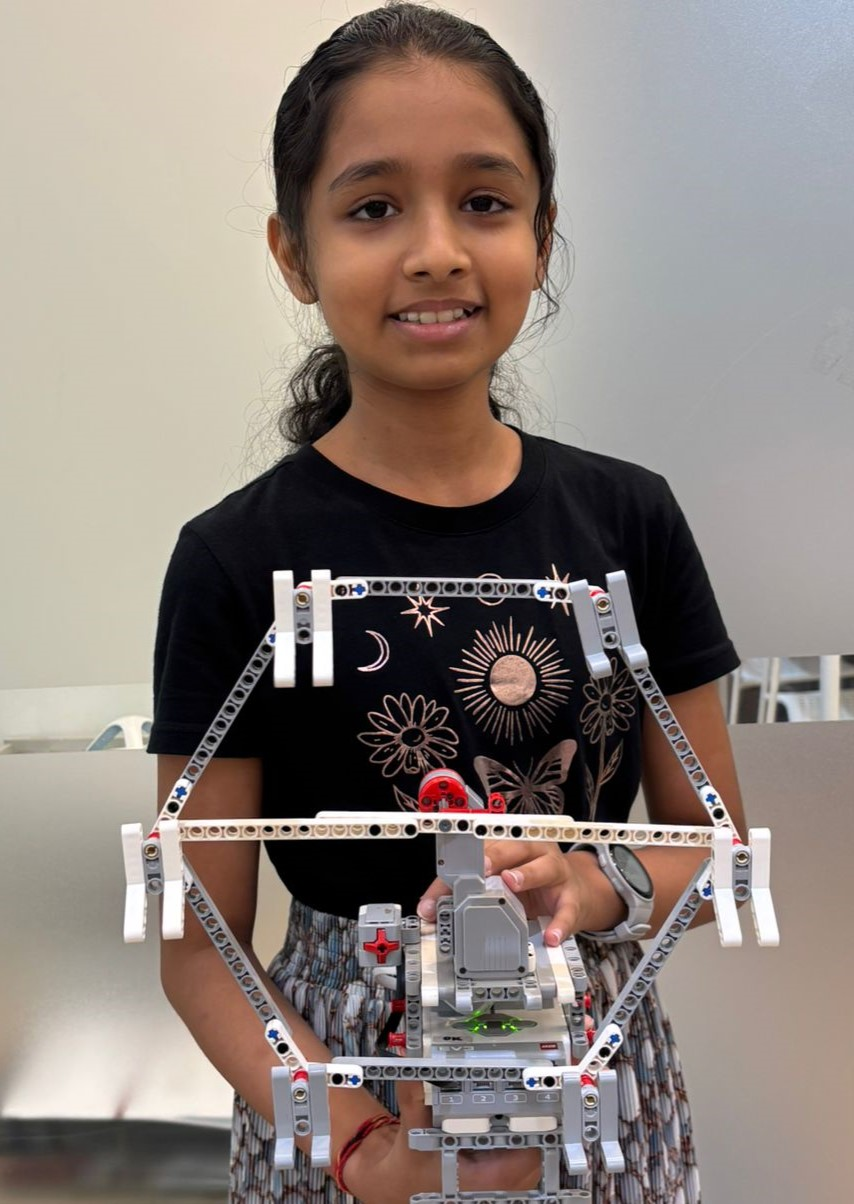
Touch activated Ferris Wheel
I learnt how to use the LEGO technic parts to create different designs. Using the coding concept of conditionals (if-else), together with different sensors, I coded my designs to do certain actions only if a specific condition is met. Among many other projects, I created a ferris wheel that spins only if the touch sensor is activated
Contact List is a program that stores contacts along with their phone numbers. It allows users to add, delete, search, and display all saved contacts. When adding a contact, the program prompts the user to enter a name and the associated phone number. When deleting a contact, the user is asked to enter either the name or phone number of the contact they wish to remove. When searching, the user can input a name or phone number to find a specific contact. The “Show All” feature displays all saved contacts in the list.
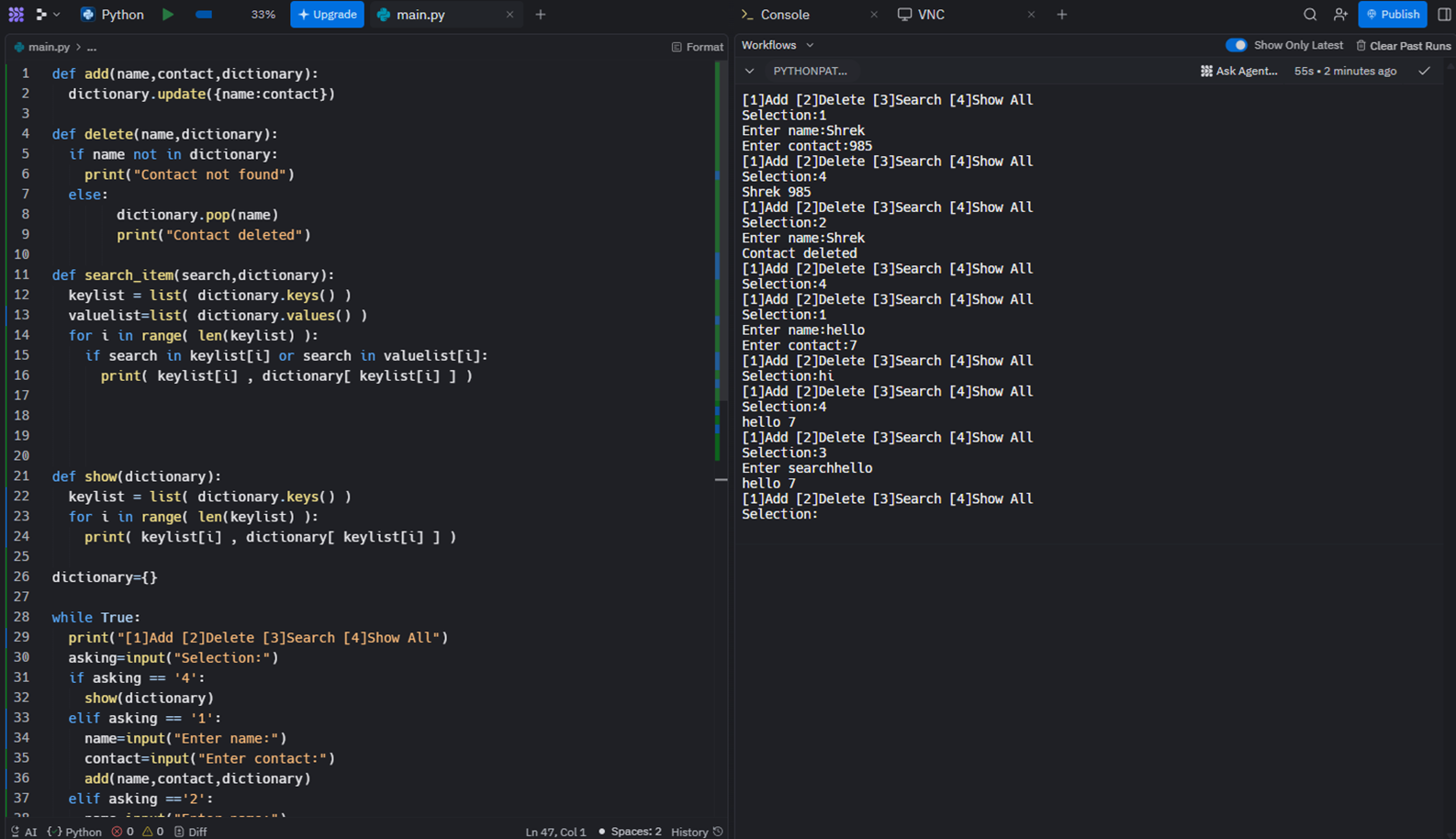
Try it Live:
Python Concepts Used:
- Dictionary: They provide a mutable collection of key-value pairs that lets you efficiently access and mutate values through their corresponding keys A dictionary is a collection which is ordered, changeable and do not allow duplicates.
- Functions: Python Functions are a block of statements that does a specific task. The idea is to put some commonly or repeatedly done task together and make a function so that instead of writing the same code again and again for different inputs, we can do the function calls to reuse code contained in it over and over again.
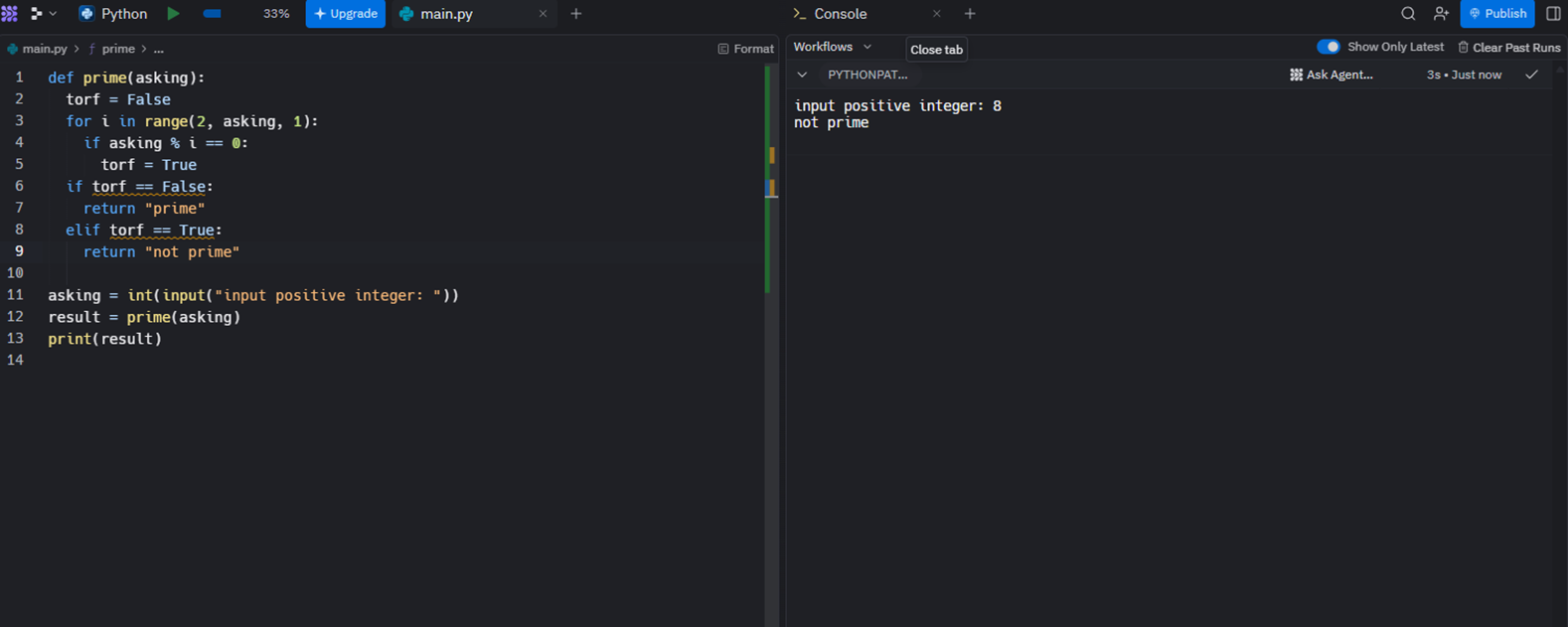
Prime Number Detector is a program that determines whether an input number is prime or not. It uses an if-else statement to check if the number can be divided evenly by any number other than 1 and itself. If the number can be divided by another number, the program prints “Not Prime.” If it cannot be divided evenly by any other number, the program prints “Prime.”
Try it Live:
Memory Flash is a memory game designed to help users improve their concentration and memory skills. At the start of the game, all cards are placed face down. The player opens any two cards and places a color sensor on top of each opened card. The system then checks whether the two cards match and provides feedback through the screen and sound. A smiley face with a positive sound indicates a correct match, while a sad face with a “dun-dun-dun” sound indicates an incorrect match. When a matching pair is found, the player must remember the positions of those cards and avoid opening them again. The goal of the game is to successfully find all three matching pairs without reopening any completed pair.
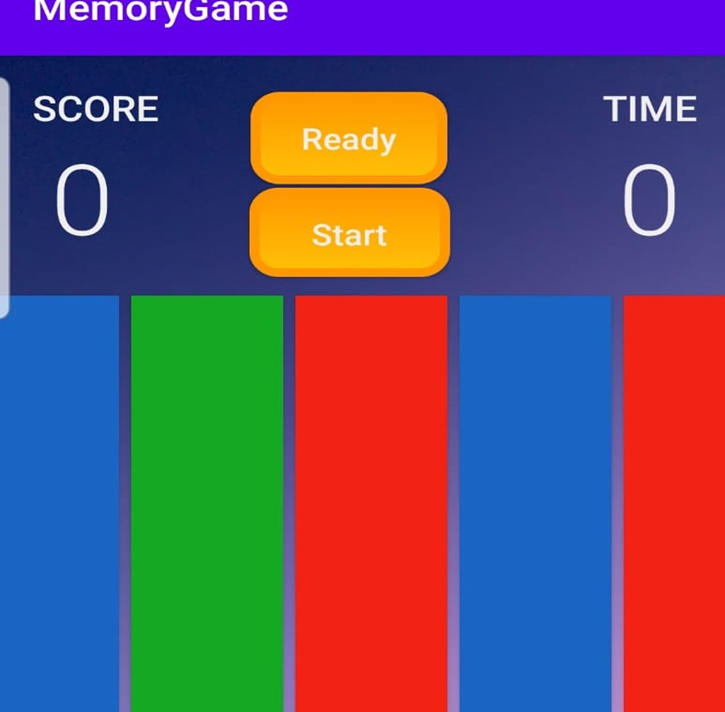
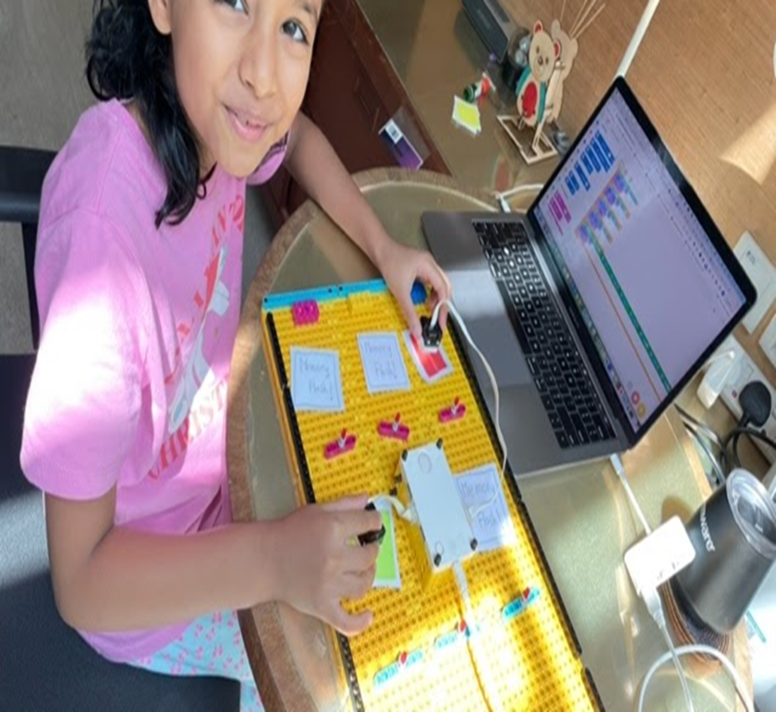
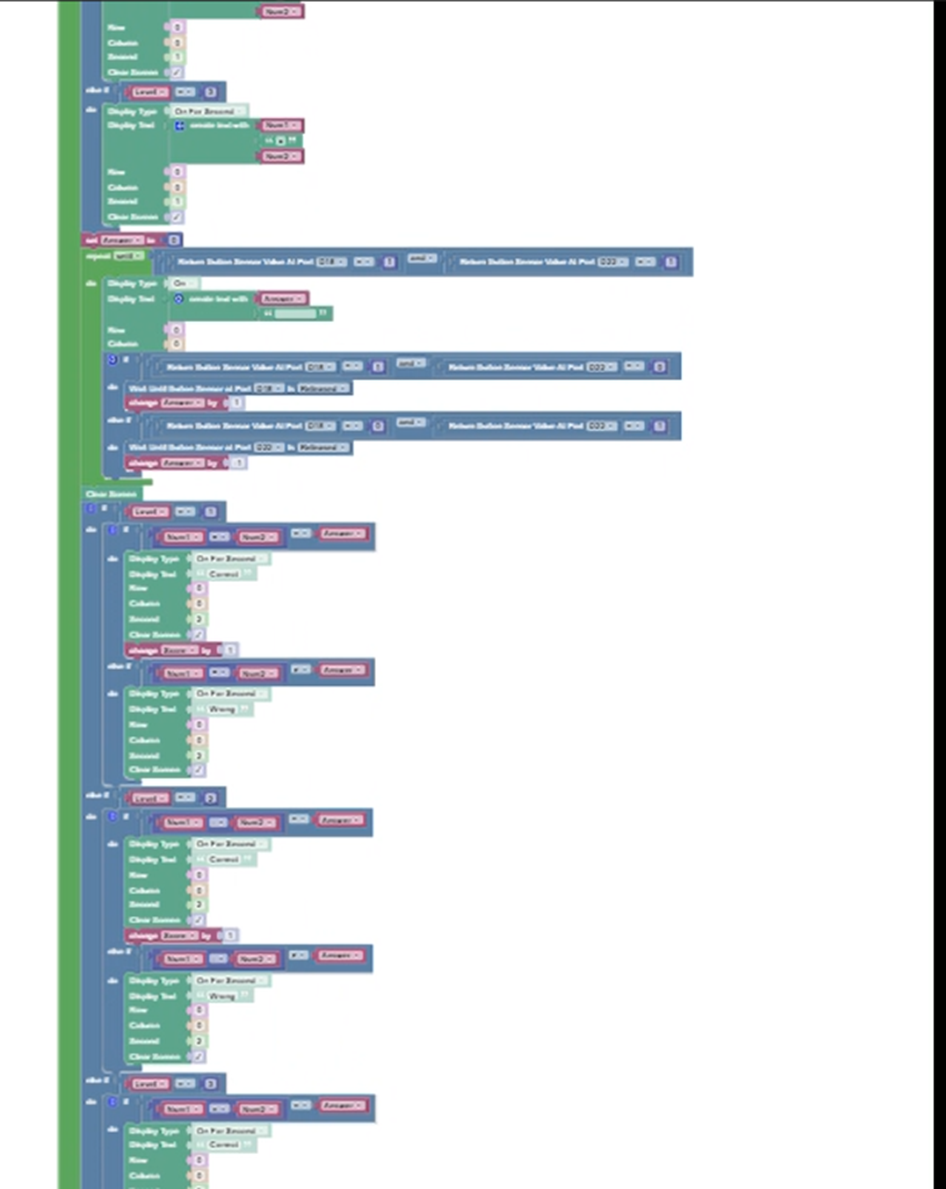
My project is a Science quiz based on the classification of animals. I used different coding concepts such as random number generators, variables, and lists. The quiz includes buttons assigned to various animals, such as bats and snakes. The robot asks the user questions, for example identifying which animal is an amphibian. If the user chooses the wrong answer, the question is repeated until the correct answer is selected, after which the quiz moves on to the next question.
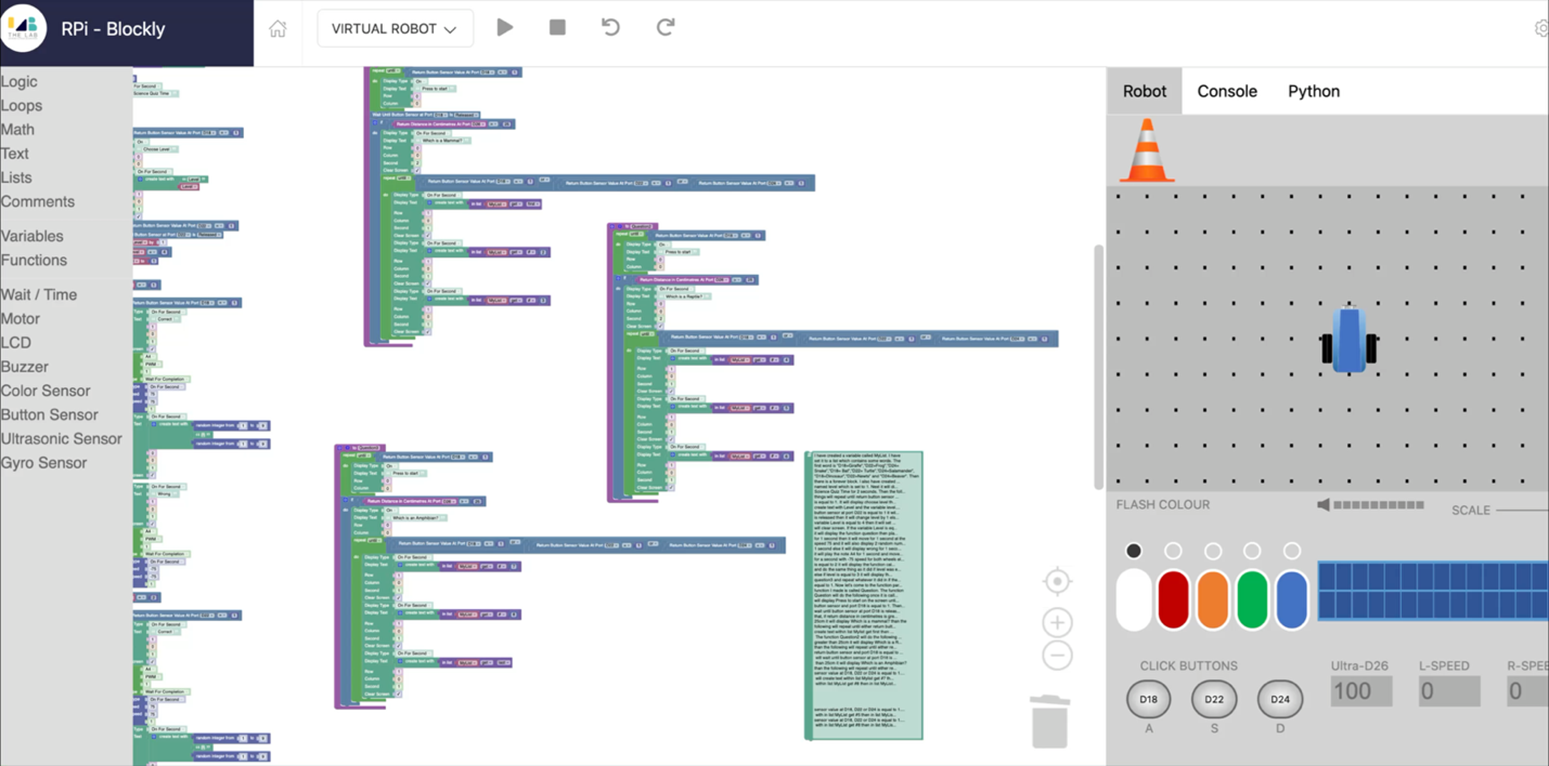
This program is built using block-based visual coding and runs on an event-driven model. It responds to user actions such as button clicks and screen events to control how the app behaves. The code uses variables to store information and track the current state of the application. Conditional logic (if–else statements) is used to make decisions based on user input or stored values. Reusable procedures help organize the logic and avoid repeating the same steps. Based on these conditions, the program dynamically updates the user interface. Overall, it creates an interactive experience that changes in real time as the user interacts with it.
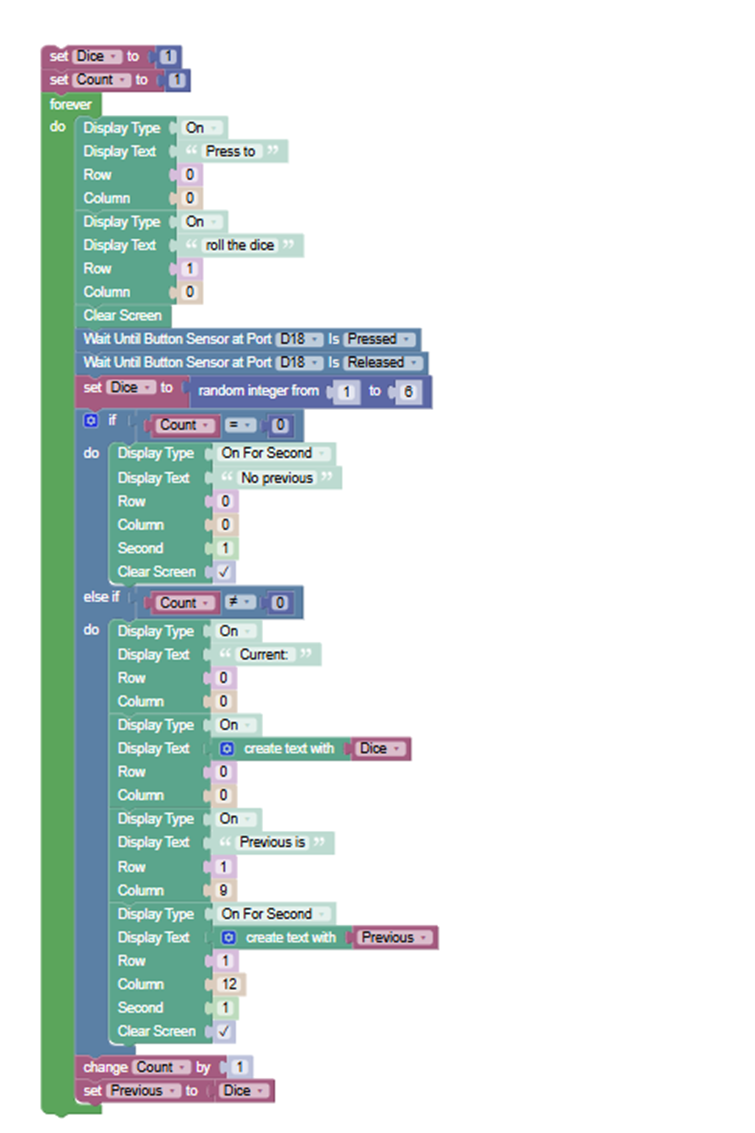
This program simulates a dice roll using a button input. It continuously displays instructions prompting the user to press a button to roll the dice. When the button is pressed and released, a random number between 1 and 6 is generated. On the first roll, it displays that there is no previous value. On subsequent rolls, it shows both the current dice value and the previous roll. A counter keeps track of how many times the dice has been rolled. After each roll, the current value is saved as the previous value for the next round.
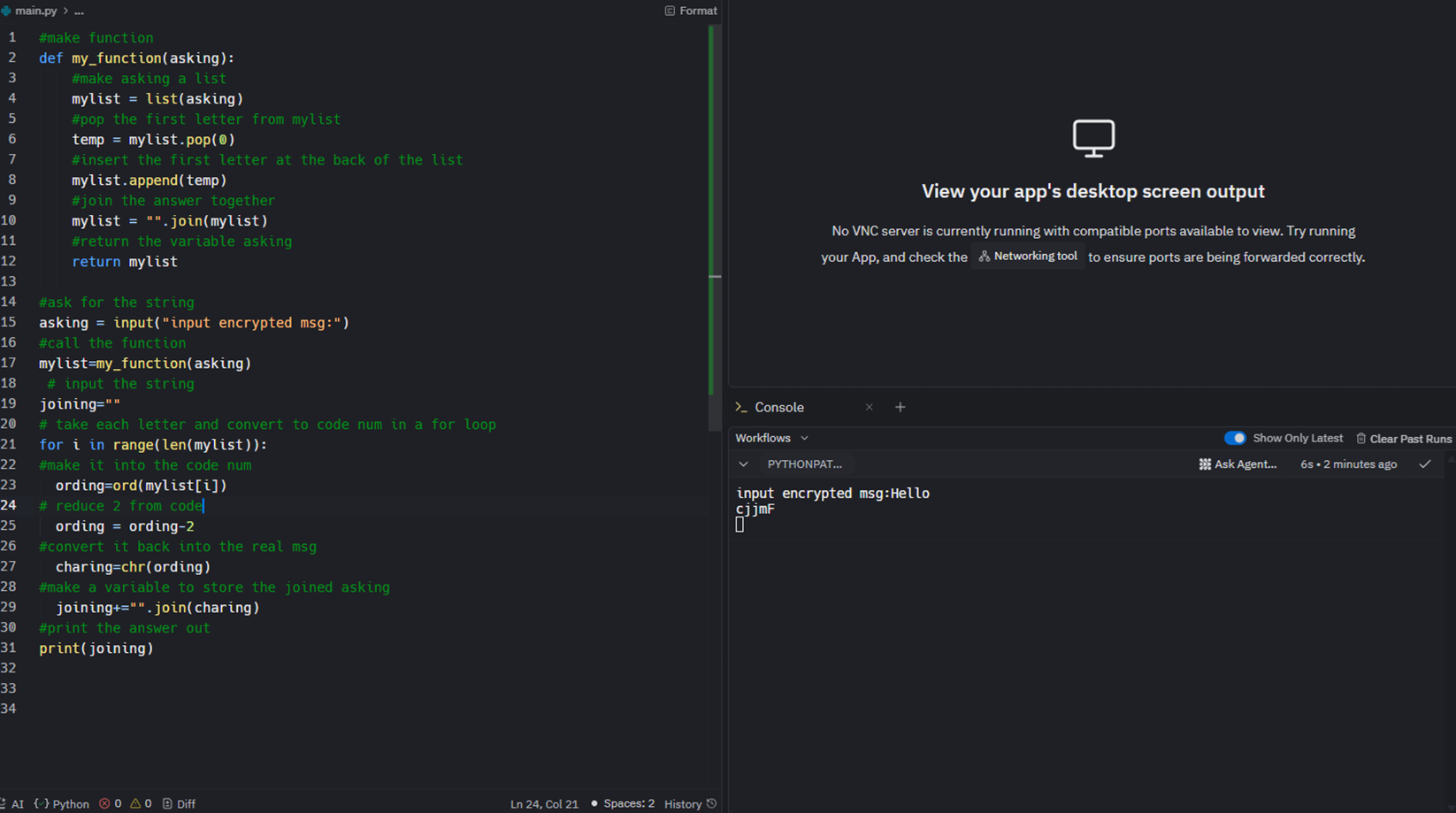
Encryption is a process in which an input message is converted into an encoded form to protect its meaning. In this program, I used ord() to convert characters into their numeric (ASCII) values, and chr() to convert those numeric values back into characters, creating the encrypted message.
Python Concepts Used:
- Ord Library: The built-in ord() function returns the Unicode code point for a given character. It takes a single character as an argument and returns its integer representation in the Unicode table Each letter is associated to a number such as “A” is associated to “65”
- Character library: The built-in chr() function returns the character whose Unicode code point is the integer provided as an argument It converts numbers to letters
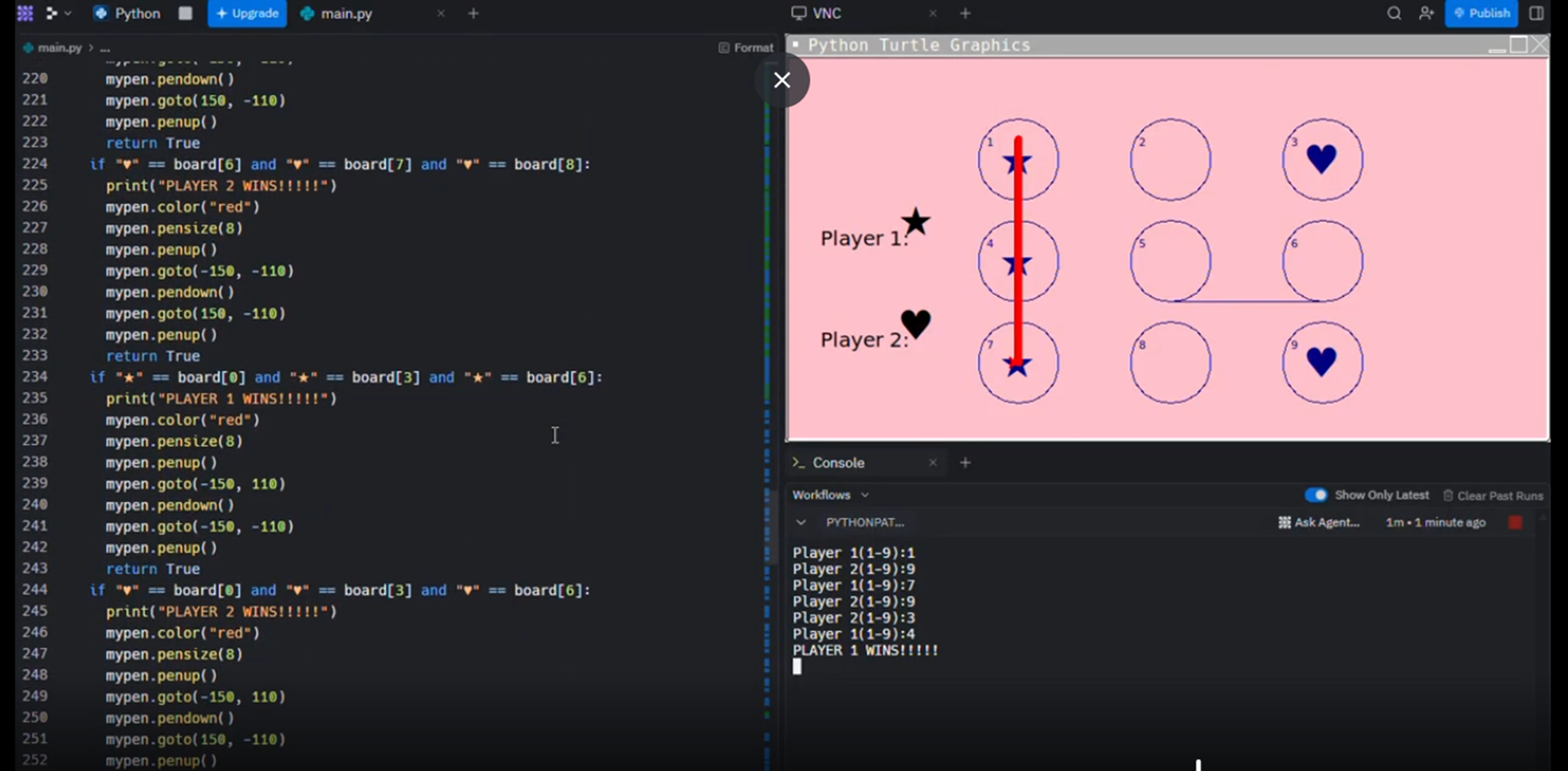
Tic-Tac-Toe is a game I designed using Python’s Turtle module, which allows graphics and drawings to be created using a virtual “turtle” that moves around the screen. The program draws nine circles to represent the game grid and prompts Player 1 to choose a number from 1 to 9. After a move is made, Player 2 is prompted to select a number, and the program draws either a star or a heart in the chosen circle. If a player selects a number that has already been used, the same player is asked to choose again. The program continuously checks for three symbols in a row to determine a winner and displays whether Player 1 or Player 2 has won. If no player achieves three in a row, the game ends in a tie.
Try it Live:
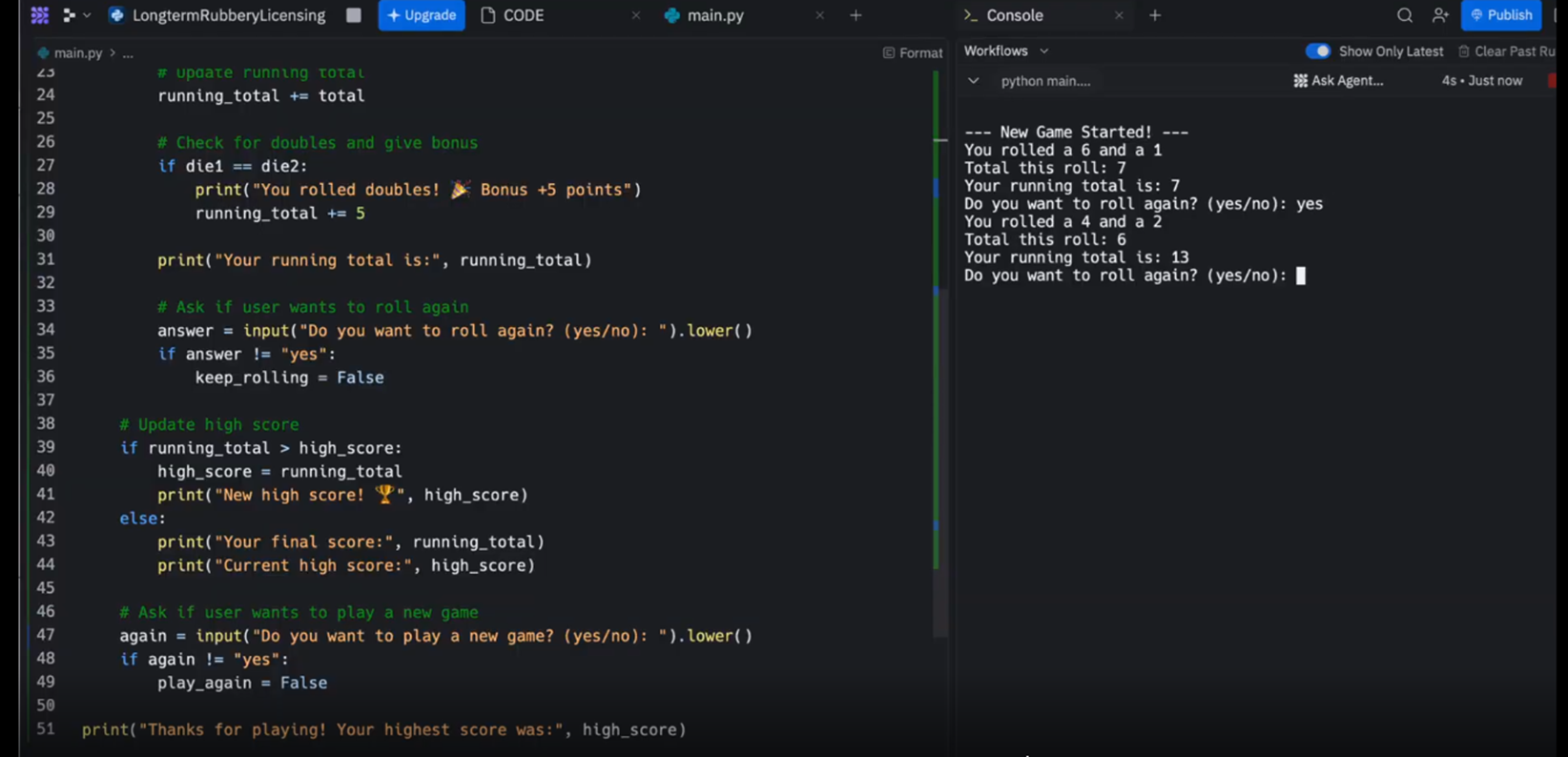
I have created a Python game named random_rolls.py that generates two random numbers between 1–6 and adds them to a running total. The program tracks high scores across multiple games and uses interactive prompts to let the player decide whether to keep rolling or start a new round.
Try it Live:
Python Concepts Used:
- Control Flow: Nested Loops: The program uses a nested loop structure; the outer loop manages multiple games, while the inner loop manages individual rolls within a single game. Boolean Flags: Variables like keep_rolling = True and play_again = True as "switches" to control when a game should continue or stop based on user input. Conditional Logic: Uses if/else statements to compare numbers, check for "doubles," and determine if a new high score has been achieved.
- Comparison and Arithmetic Operators: Arithmetic Operators: += (addition assignment) quickly update scores and + to sum the two dice rolls. Comparison Operators: Uses > (greater than) to check for high scores and == (equal to) to detect when both dice show the same number.
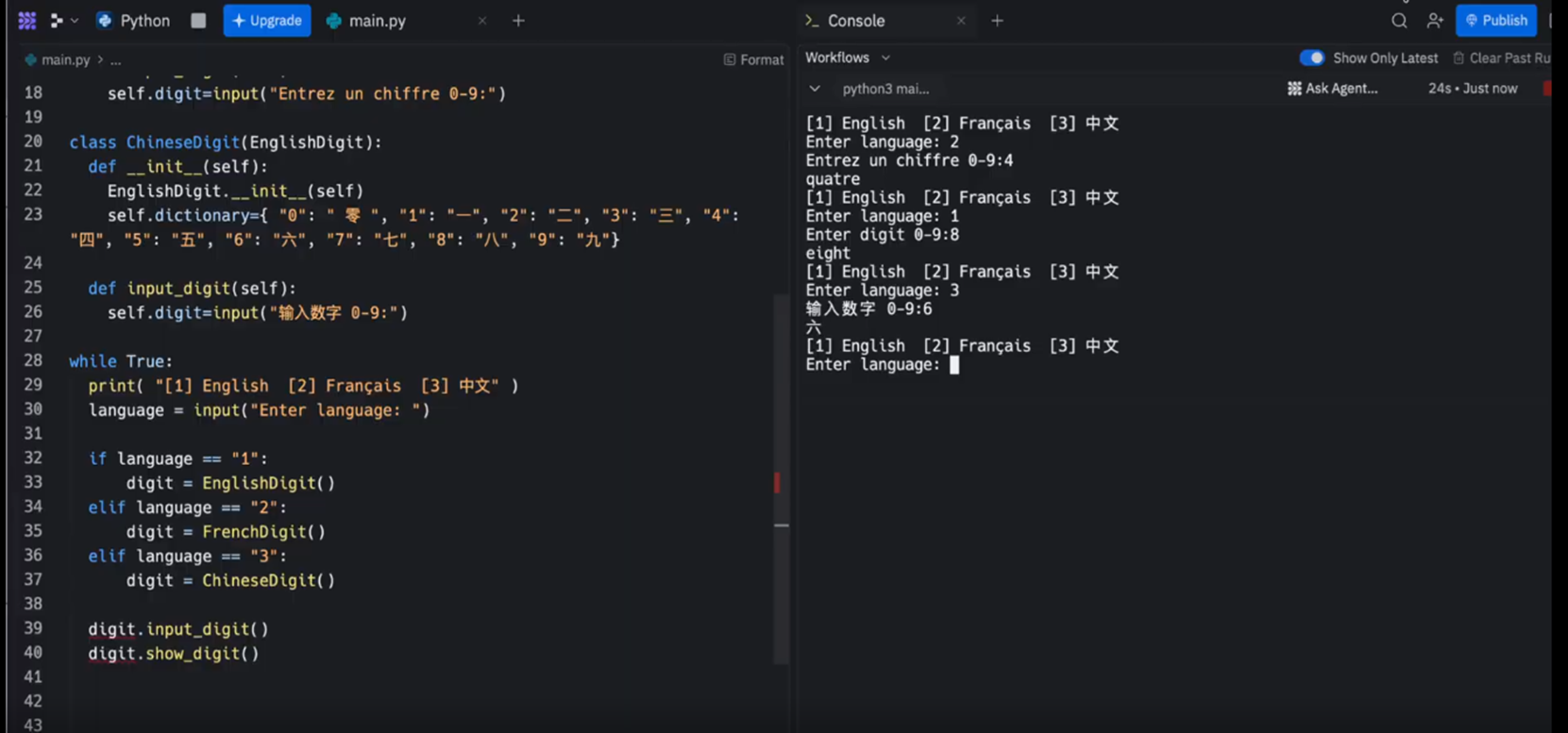
The program uses Object-Oriented Programming (OOP) to act as a multilingual translator. The user picks a language, which triggers the creation of a specific class object. A key-value map instantly translates the numeric input (e.g., "2") into a word (e.g., "二"). The program uses a while True loop to allow for multiple translations in one session.
Try it Live:
Python Concepts Used:
- Class: I have created a Python program that uses Object-Oriented Programming to translate digits (0-9) into words across three different languages: English, French, and Chinese. Inheritance: The project uses a "Parent" class (EnglishDigit) that handles the basic setup, while "Child" classes (FrenchDigit, ChineseDigit) inherit those features. Method Overriding: The child classes "override" the input prompts so that the program asks for numbers in the specific language selected by the user.
- Dictionary: The Key-Value Map: Each language class contains a internal dictionary that maps a numeric string (the "key") to its written word equivalent (the "value"). Data Retrieval: When a user enters a number, the program looks it up in the dictionary to instantly find the translation without needing complex math. Customization: Each language has its own unique dictionary; for example, the Chinese dictionary maps "7" to "七" while the French one maps it to "sept".
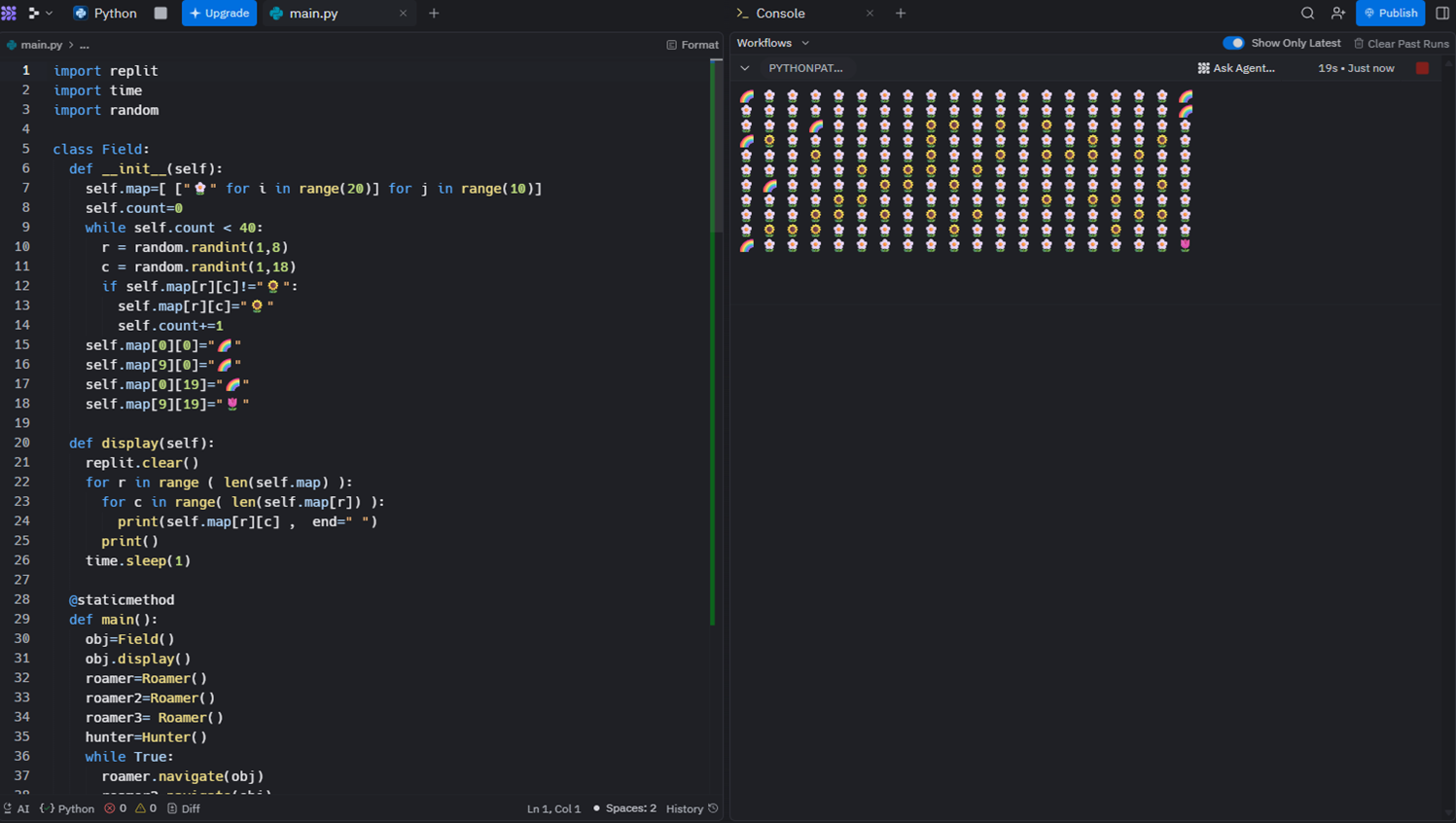
I have created a Python game that simulates a high-stakes "cat and mouse" chase on a 2D grid. The game features multiple "Roamers" trying to evade a single "Hunter" while navigating a field filled with obstacles. Field Initialization: A 10x20 grid populated with flowers (🌼) acting as open paths and sunflowers (🌻) acting as "dead end" obstacles that Roamers cannot pass through.
Try it Live:
Python Concepts Used:
- Inheritance: Inheritance: The Roamer class inherits from Field, allowing it to access the game board's properties directly. Object-Oriented Programming (OOP): The game is built using classes (Field, Roamer, Hunter) to organize data. Each class has its own attributes or methods.
- Static Methods: The main() function is defined as a @staticmethod, allowing the game to be launched directly from the Field class without needing to set up complex instances first.