Jesienlia Quek's Coding Projects
Hello, I am Jesienlia! I enjoy building robots and using coding to solve real-world problems. Starting with block-based coding helped me understand how to control my robots and test new ideas. Learning robotics has strengthened my problem-solving and critical-thinking skills, because I have to break big challenges into smaller steps and troubleshoot when things don’t work as expected. It has also taught me patience and creativity, since designing, building, and programming robots often requires multiple experiments and improvements. Through robotics, I’m learning how software and hardware work together, which helps me better understand technology and how it can be used to make everyday tasks easier and more efficient.

Bumper Car
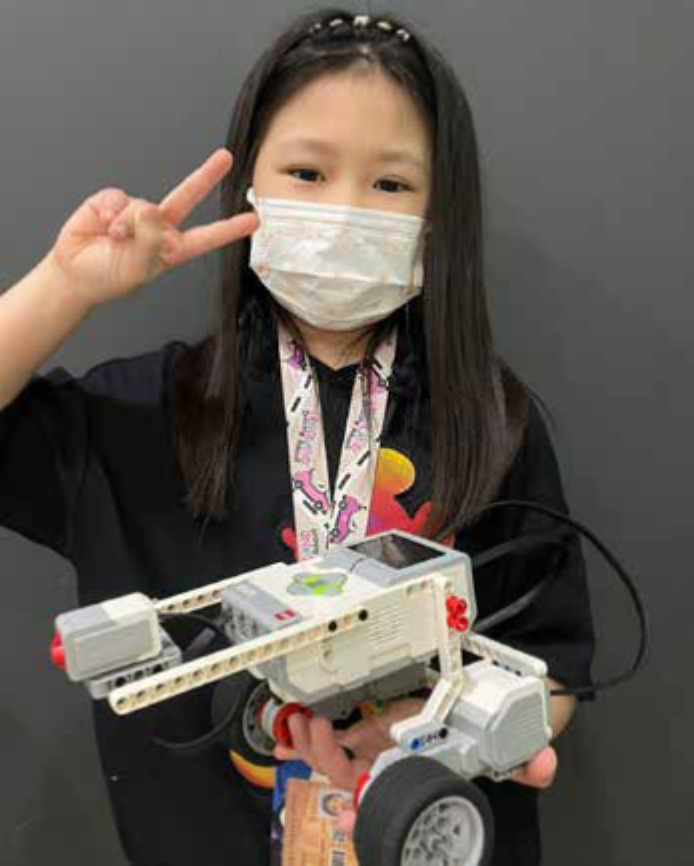
I learned how to use LEGO Technic parts to design and build functional mechanical systems. By applying coding concepts such as conditionals (if-else) and integrating various sensors, I programmed my creations to respond dynamically to their environment. One example was a bumper car that automatically reverses when its front touch sensor detects a collision—mimicking real-world applications of obstacle detection used in autonomous vehicles and robotic systems to enhance safety and navigation.
Rack And Pinion Door
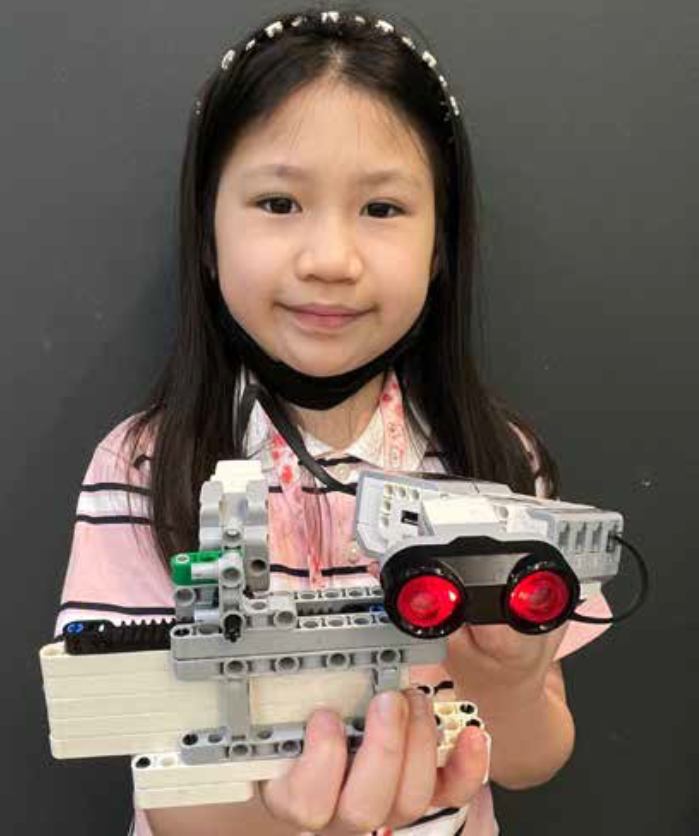
I learned how to use LEGO Technic parts to design and build various mechanical structures. By applying coding concepts such as conditionals (if-else) and incorporating different sensors, I built a rack and pinion door. Using an ultrasonic sensor, I recreated an automatic sliding door like those commonly found in shopping centers. The door opens when a person is detected within a certain range, demonstrating how sensor technology is used in real life to improve accessibility, convenience, and energy efficiency in public buildings
Description:
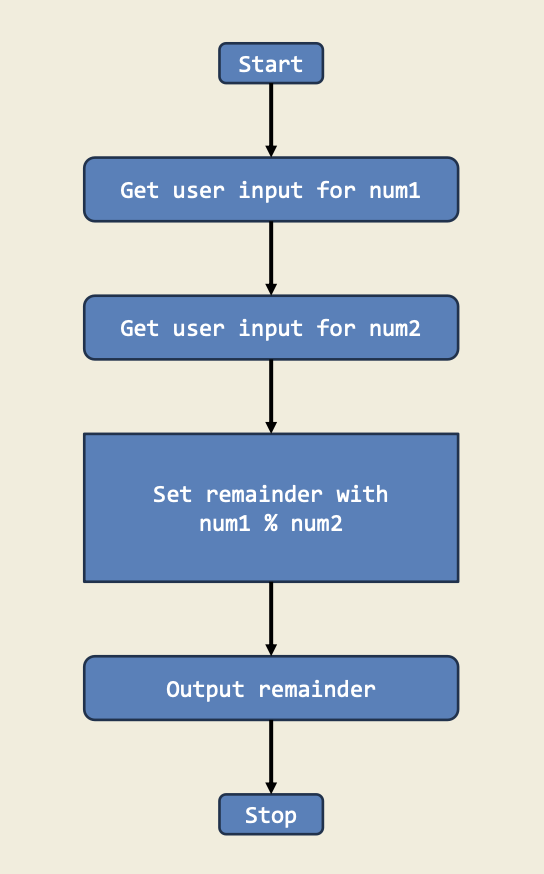
This project shows how to calculate the remainder when one number is divided by another. It’s a great way to practice using arithmetic and the modulo operator (%).
Diagram:
Trinket:
Description:
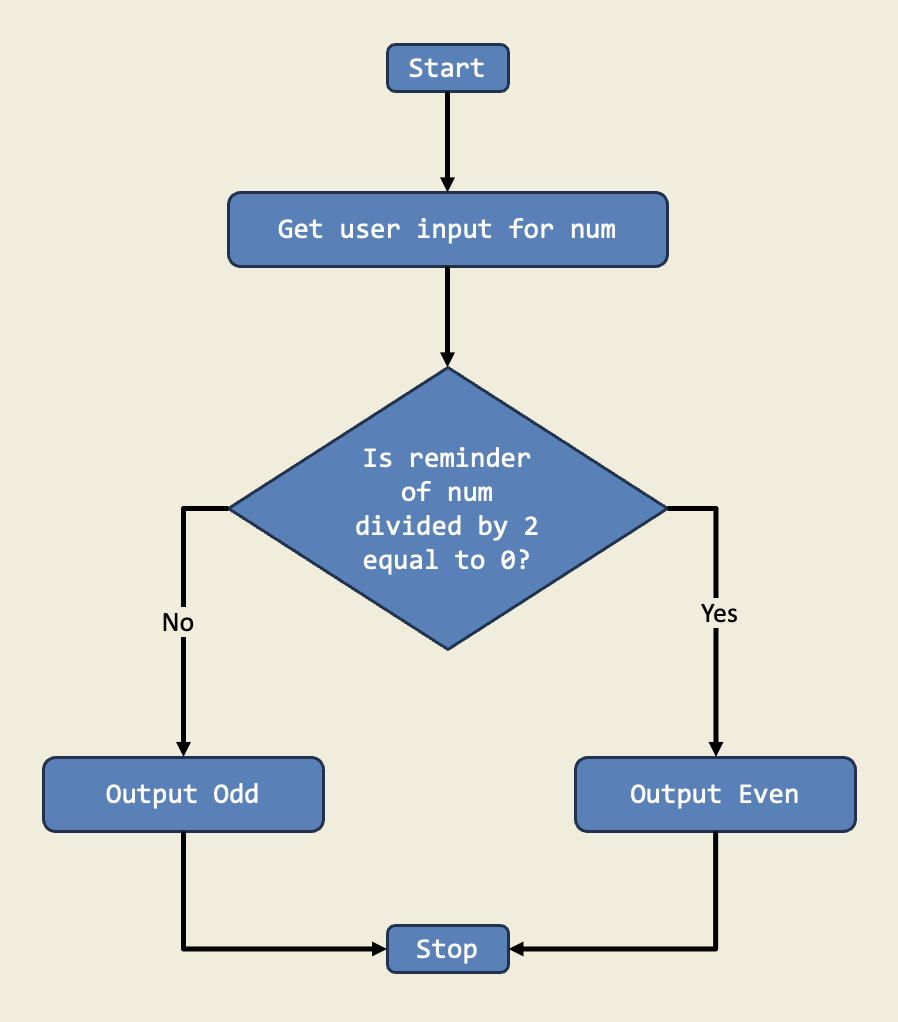
In this project, I designed a program that checks if a number is even or odd using if-else statements. This project teaches me how to make decisions in code based on conditions.
Diagram:
Trinket:
Description:
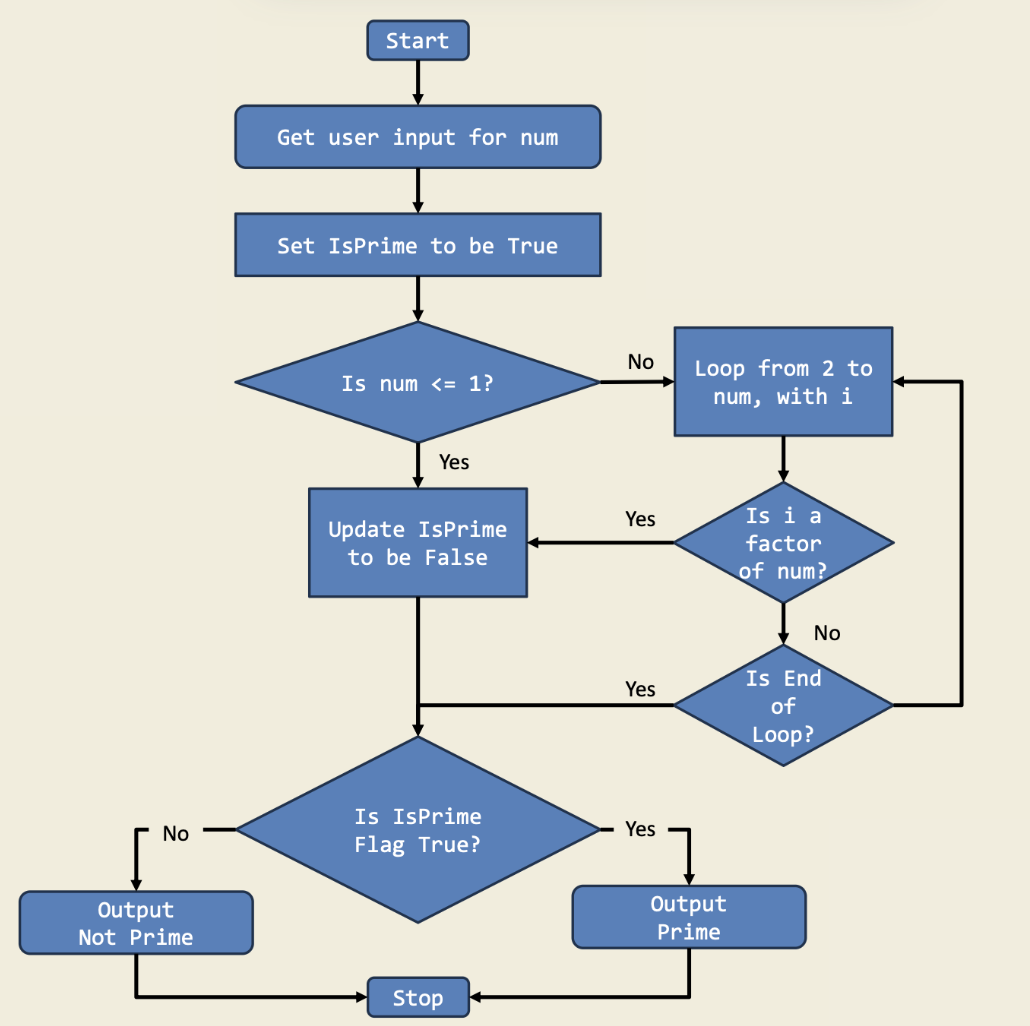
This game challenges you to decide if a number is prime by using if-else statements. It’s a fun way to reinforce the concept of prime numbers and divisibility in code.
Diagram:
Trinket:
Description:
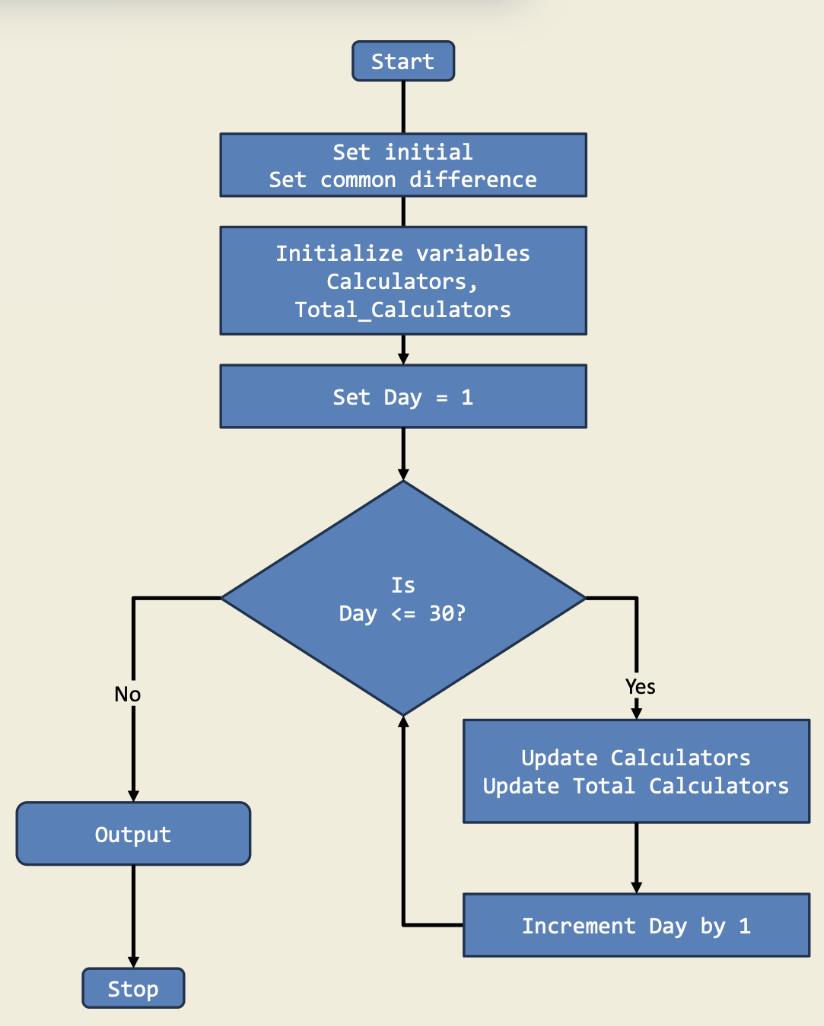
In this project, I tracked the production rate of a calculator factory that follows an arithmetic progression. I calculated the number of calculators produced on day 30 and the total after 30 days. This shows how loops can handle repeated calculations for real-world scenarios.
Diagram:
Trinket:
Description:
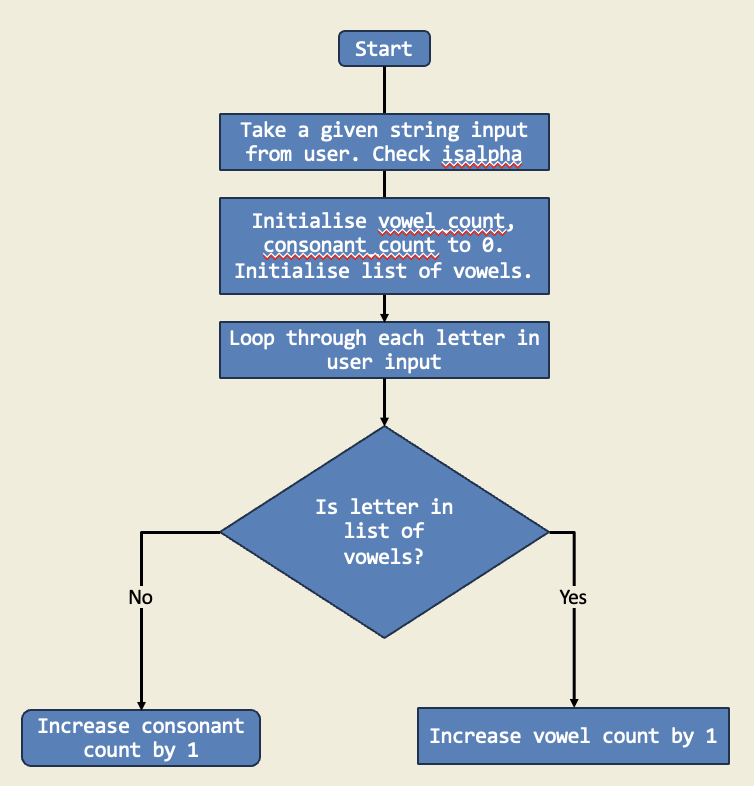
In this project, I used a for loop to count the number of vowels and consonants in a given string. The loop iterates through each character in the string, checking if it is a vowel or consonant, and updates the counts accordingly.
Diagram:
Trinket:
Description:
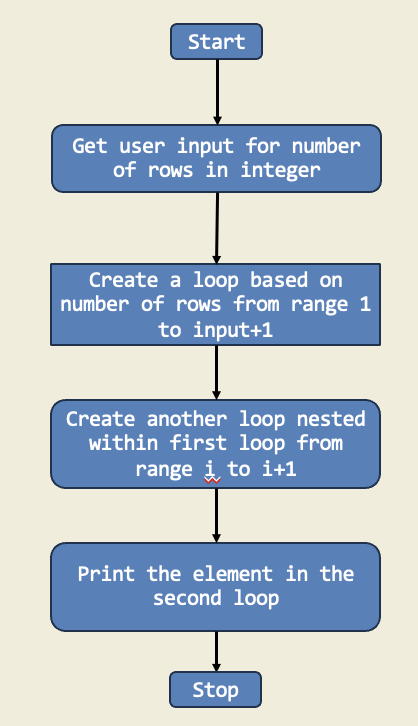
In this project, I created a number pyramid using nested for loops. The outer loop controls the number of rows, while the inner loop prints the numbers in each row. This project demonstrates how to use loops to create patterns and shapes in Python.
Diagram: