Isaac Lo's Coding Projects
My name is Isaac, and I am 12 years old. I started learning robotics with LEGO Mindstorms and block-based coding in Primary 4. I enjoy designing and building robots and structures that automate simple tasks in my daily life. Robotics taught me how to solve real-world problems and motivated me to go beyond block-based coding. This sparked my interest in Python, where I began writing programs to help me solve math problems without using pen and paper.

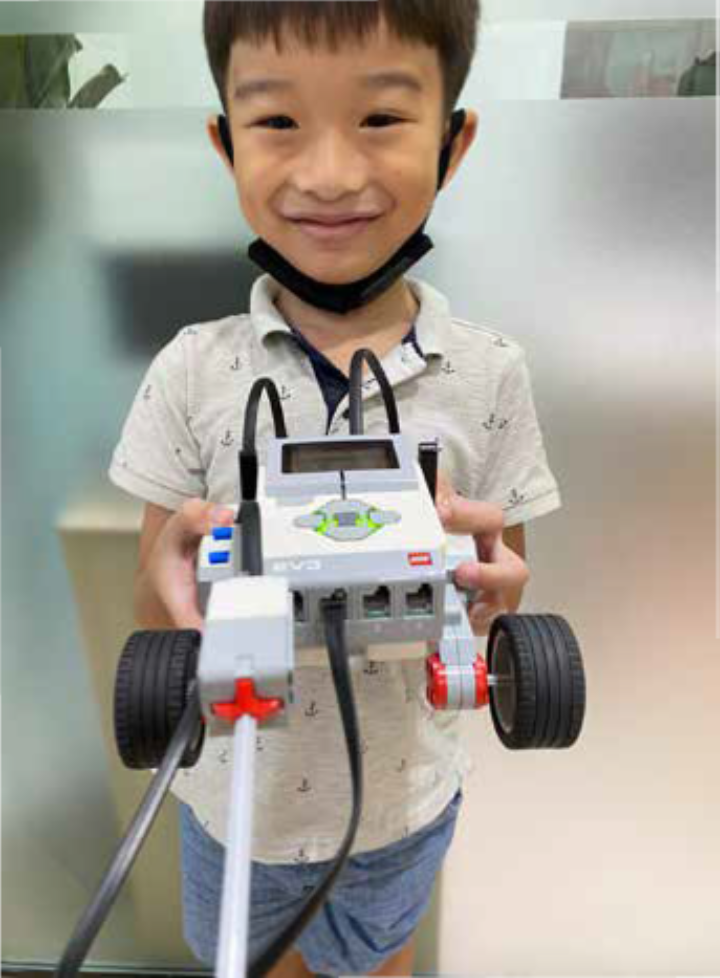
Bumper Car
I learned how to use LEGO Technic parts to design and build functional mechanical systems. By applying coding concepts such as conditionals (if-else) and integrating various sensors, I programmed my creations to respond dynamically to their environment. One example was a bumper car that automatically reverses when its front touch sensor detects a collision—mimicking real-world applications of obstacle detection used in autonomous vehicles and robotic systems to enhance safety and navigation.
Sushi Belt
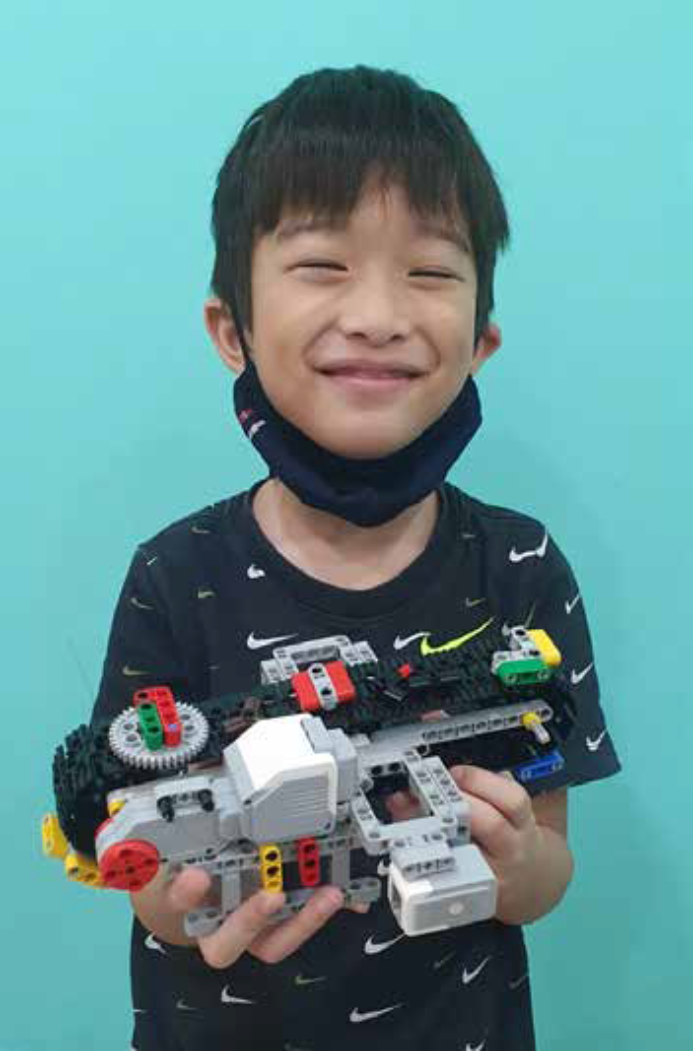
I enjoy going to the restaurant for sushi and decided to recreate an automated one. Using LEGO Technic parts and a colour sensor, I created a sushi belt that is activated to move only when it detects the colour green. This reduces unnecessary motion and saves energy.
Distance Sensor Coin Dispenser
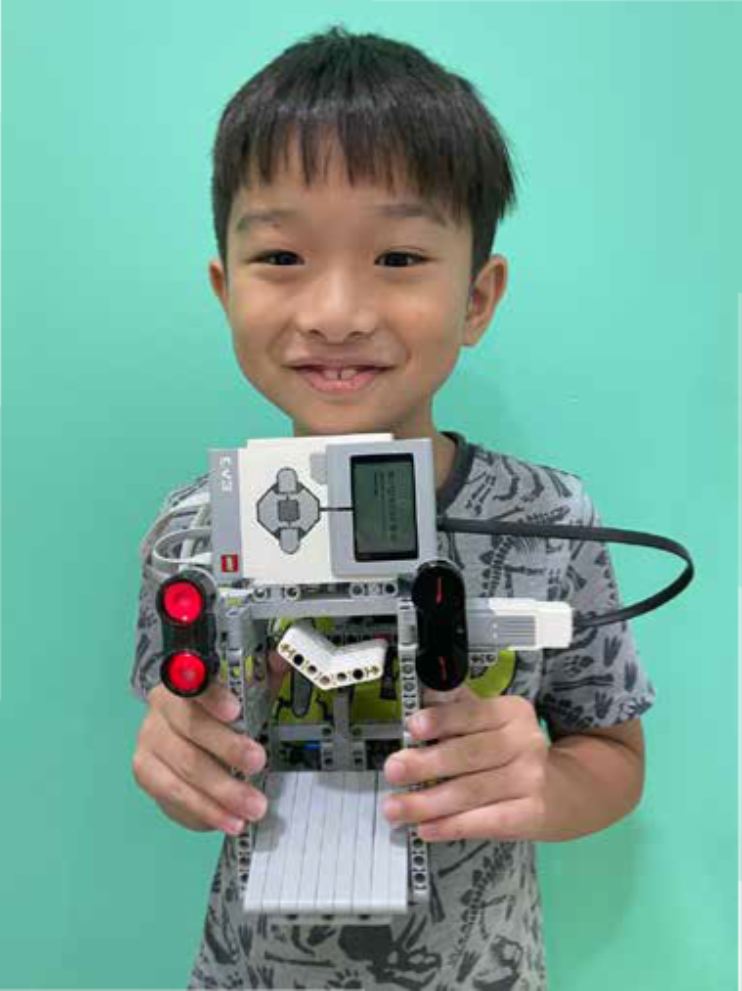
Inspired by arcade coin dispensers, I applied the design principles and coding skills I learned to build a distance-activated coin dispenser. The dispenser uses two ultrasonic sensors that detect my hand in a specific sequence within a defined distance threshold. When both sensors are triggered in order, the mechanism opens to release coins. This project demonstrates how sensor integration and conditional logic can create automated systems, similar to those used in vending machines.
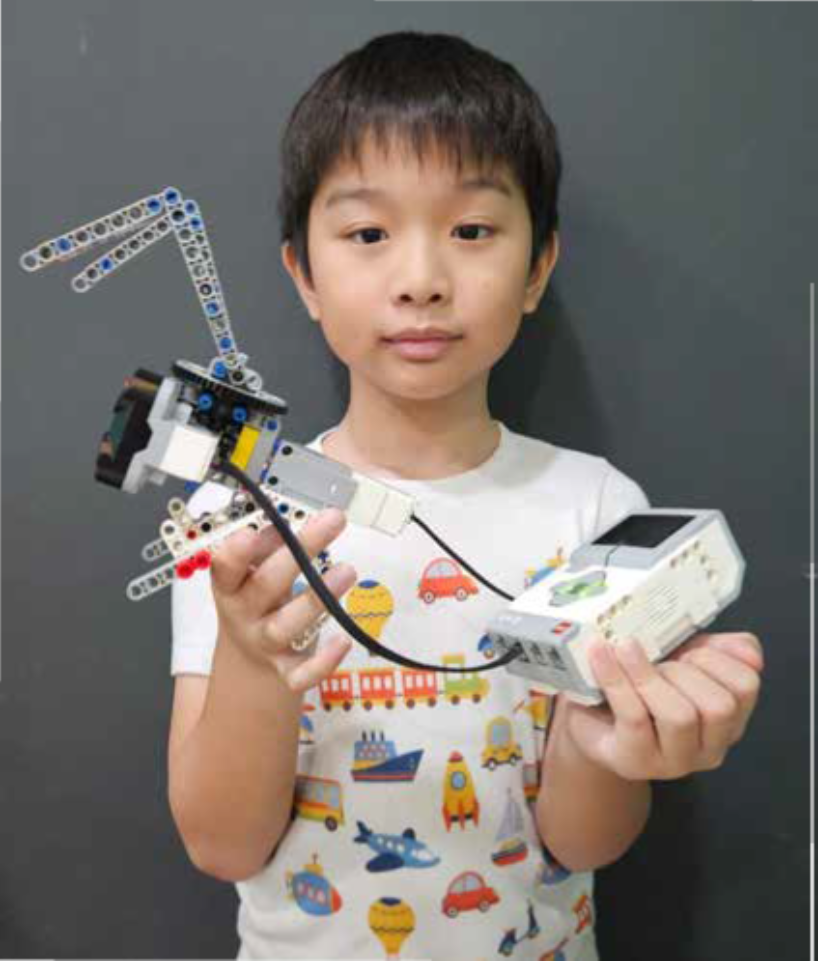
Touch Activated Automated Rabbit Head
My younger siblings loved playing with their toy rabbit head, which spins when the wind hits it. They used to manually spin and stop it, which was fun but limited. To make it more interactive and engaging, I decided to create an automated version of the toy. In this upgraded version, the rabbit head starts spinning automatically as soon as the program runs. When the ultrasonic sensor detects someone nearby—such as a child approaching—the spinning stops, and the toy returns to its original position.
2-Coloured Activated Tea Cup Ride
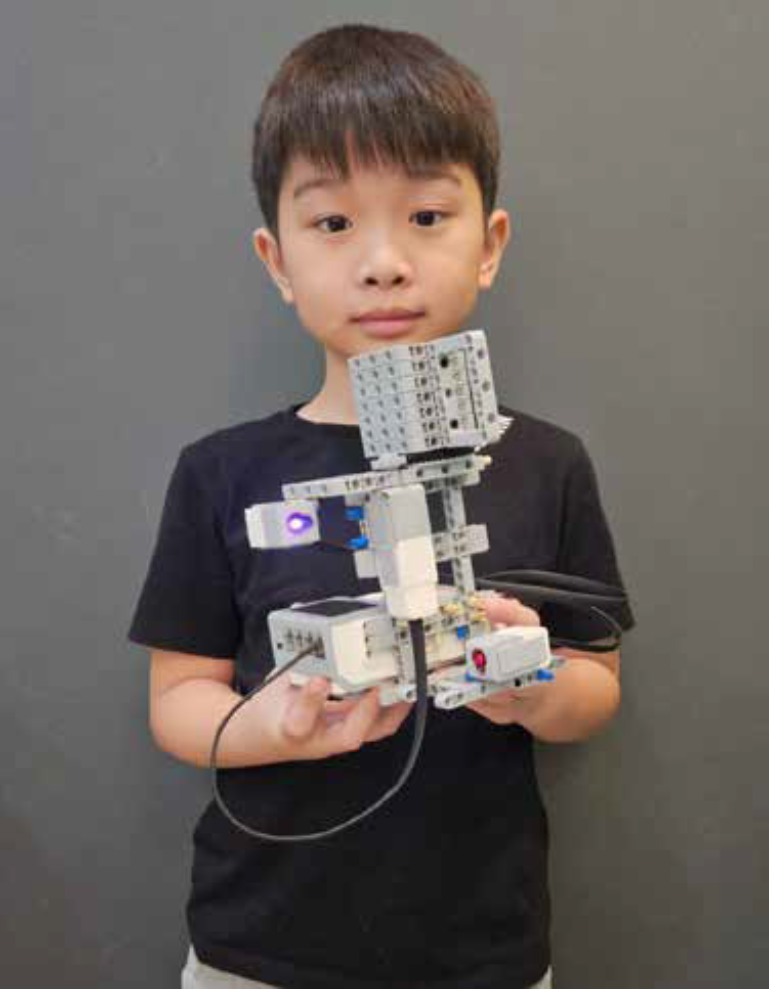
As someone who enjoys visiting amusement parks—especially the tea cup ride, I recreated a classic amusement park teacup ride using LEGO Technic parts. It incorporates two color sensors to make decisions about when and how to spin, based on both the color detected and the amount of reflected light. This adds a layer of safety and control that reflects how real-world rides use environment-sensitive automation.
Touch & Colour Activated Merry Go Round
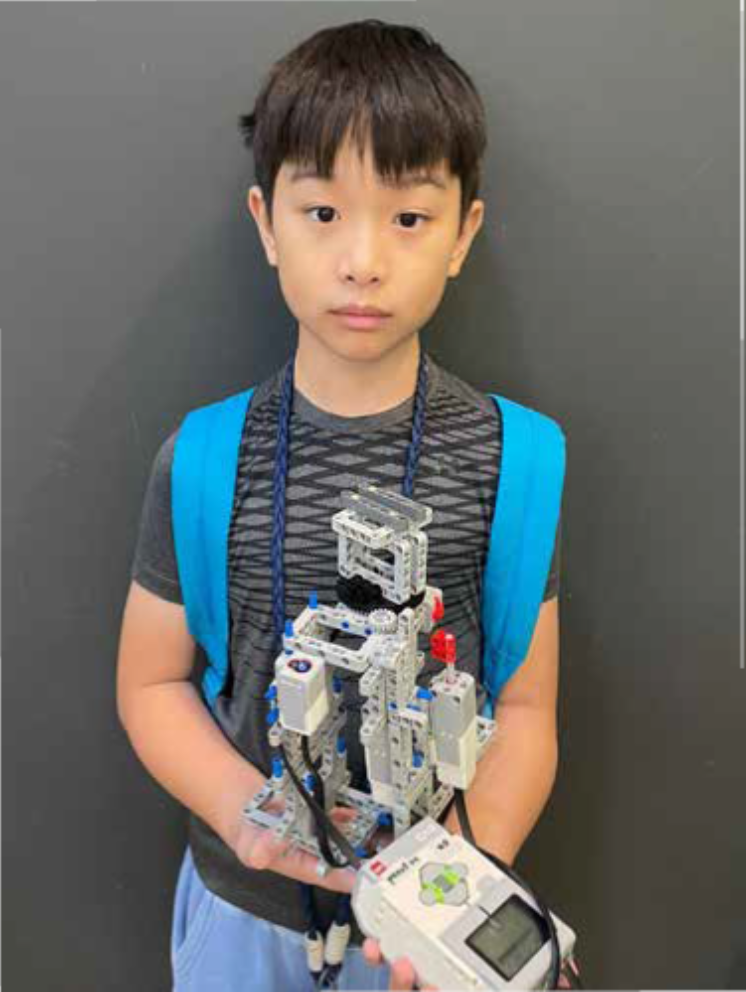
My younger brother enjoys riding a merry-go-round, so I decided to build an automated LEGO Technic version for his imaginary friend. The ride’s speed is controlled using both a touch sensor and a color sensor, creating an interactive and responsive amusement experience. Using core programming concepts such as variables and if-else logic, I programmed the system to decrease the ride’s speed when the color sensor detects a specific value and to increase the speed when the touch sensor is activated. This combination of hardware and software control allows for smooth, adaptive motion that mirrors the operation of real amusement rides.
Description:
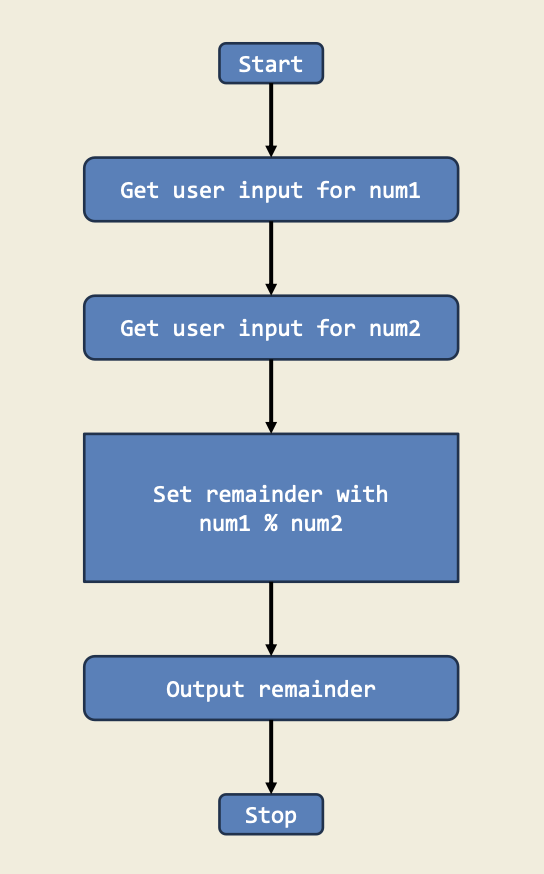
This project shows how to calculate the remainder when one number is divided by another. It’s a great way to practice using arithmetic and the modulo operator (%).
Diagram:
Trinket:
Description:
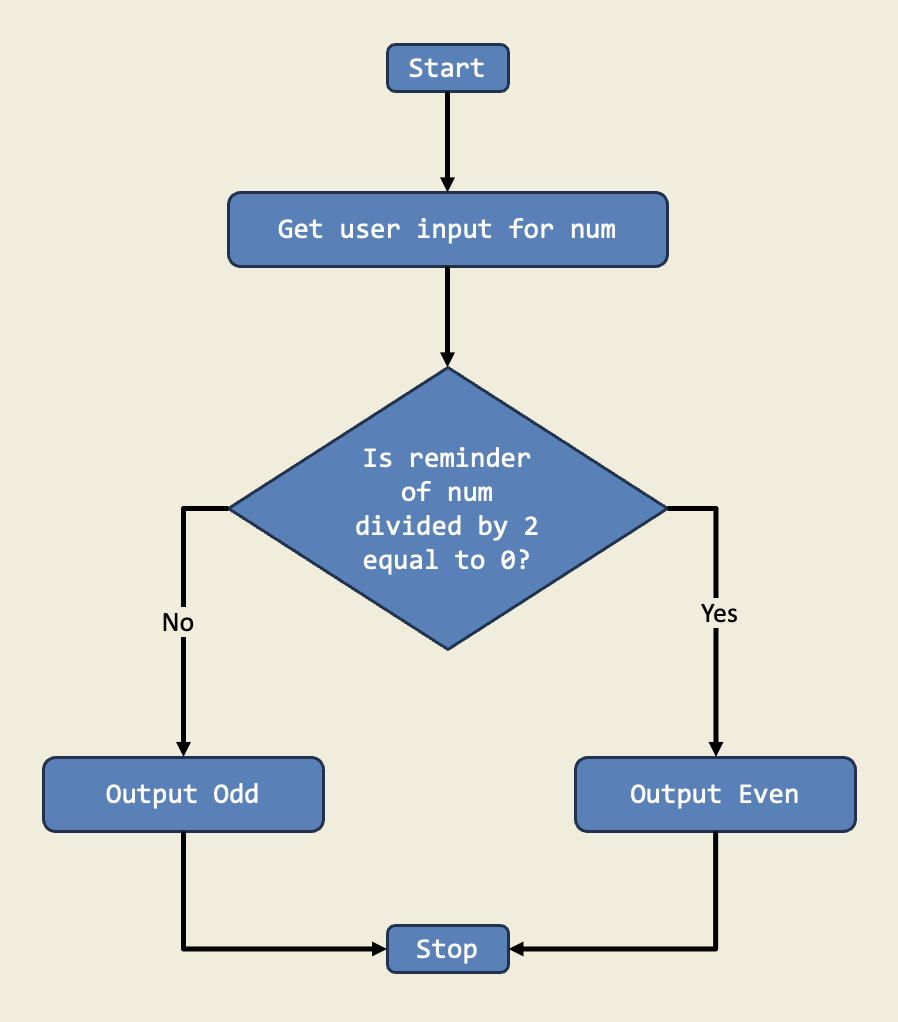
In this project, I designed a program that checks if a number is even or odd using if-else statements. This project teaches me how to make decisions in code based on conditions.
Diagram:
Trinket:
Description:
In this project, I designed a program that checks if a number is even or odd using if-else statements. This project teaches me how to make decisions in code based on conditions.
Diagram:
Trinket:
Description:
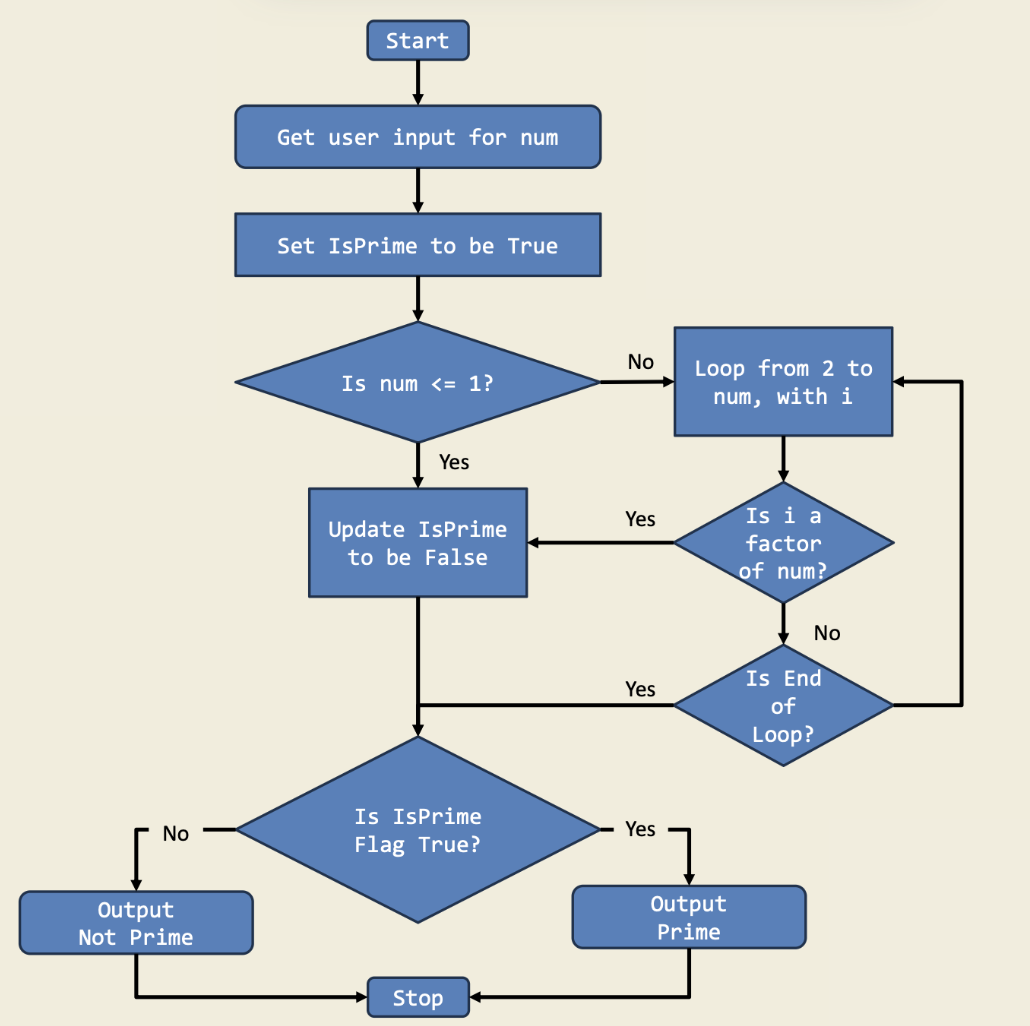
This game challenges you to decide if a number is prime by using if-else statements. It’s a fun way to reinforce the concept of prime numbers and divisibility in code.
Diagram:
Trinket:
Description:
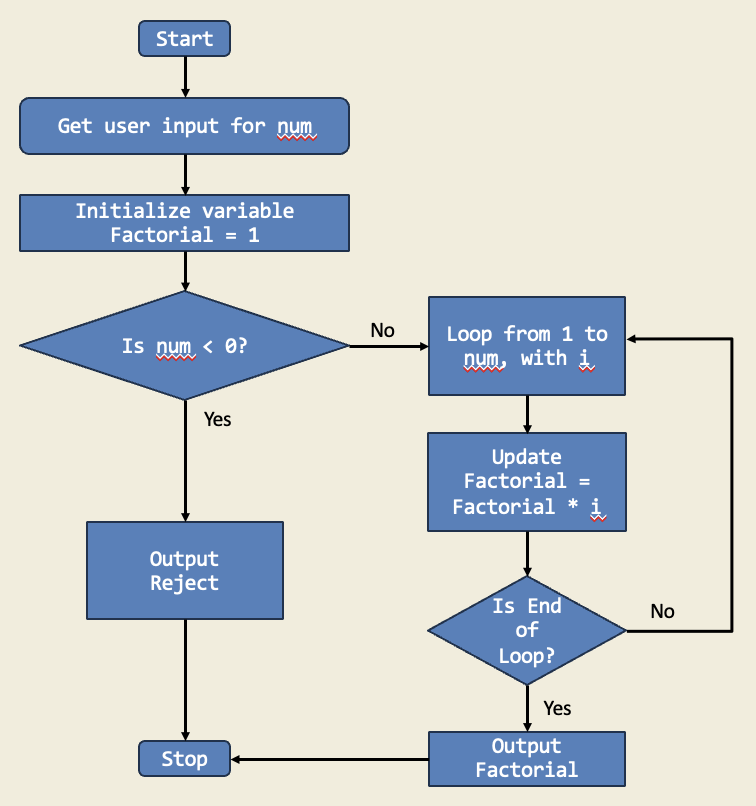
I organized a math competition among my friends, and one of the challenges involved calculating the factorial of a given number. I created a Python script that took a user input and calculated the factorial of the given number.
Diagram:
Trinket:
Description:
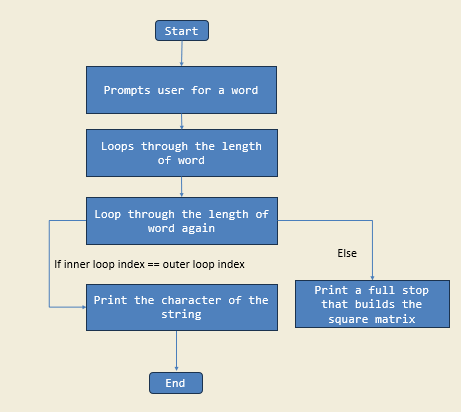
In this project, I learned how to create a program that takes in a user input for a choice of word and prints the word diagonally in a square matrix using a nested for loop concept.
Diagram:
Trinket:
Description:
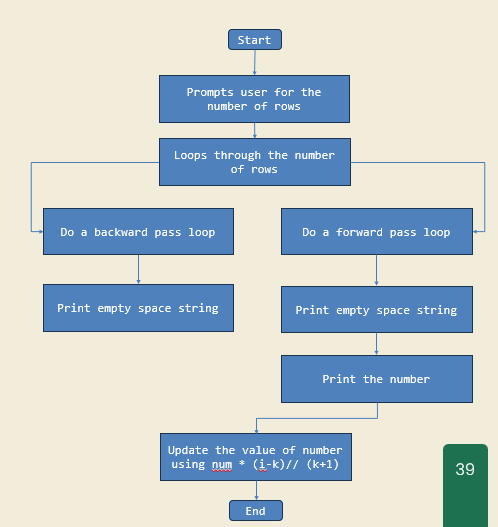
In this project, I created a program that uses nested loops concept to build a classic math triangle known where each number is the sum of the two numbers above it.
Diagram:
Trinket:
Description:
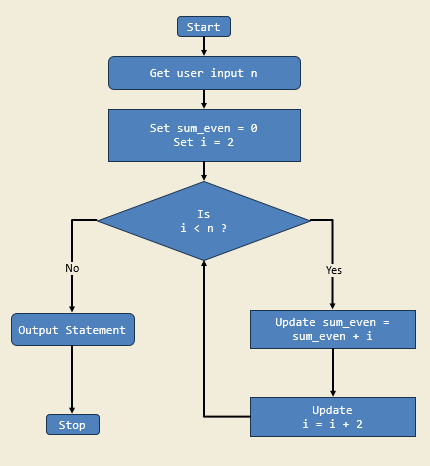
I have created a Python script named sum_of_my_even_numbers.py. It prompts me for a positive integer, and using a while loop, it calculates and displays the sum of all even numbers from 2 to the entered integer.
Diagram:
Trinket:
Description:
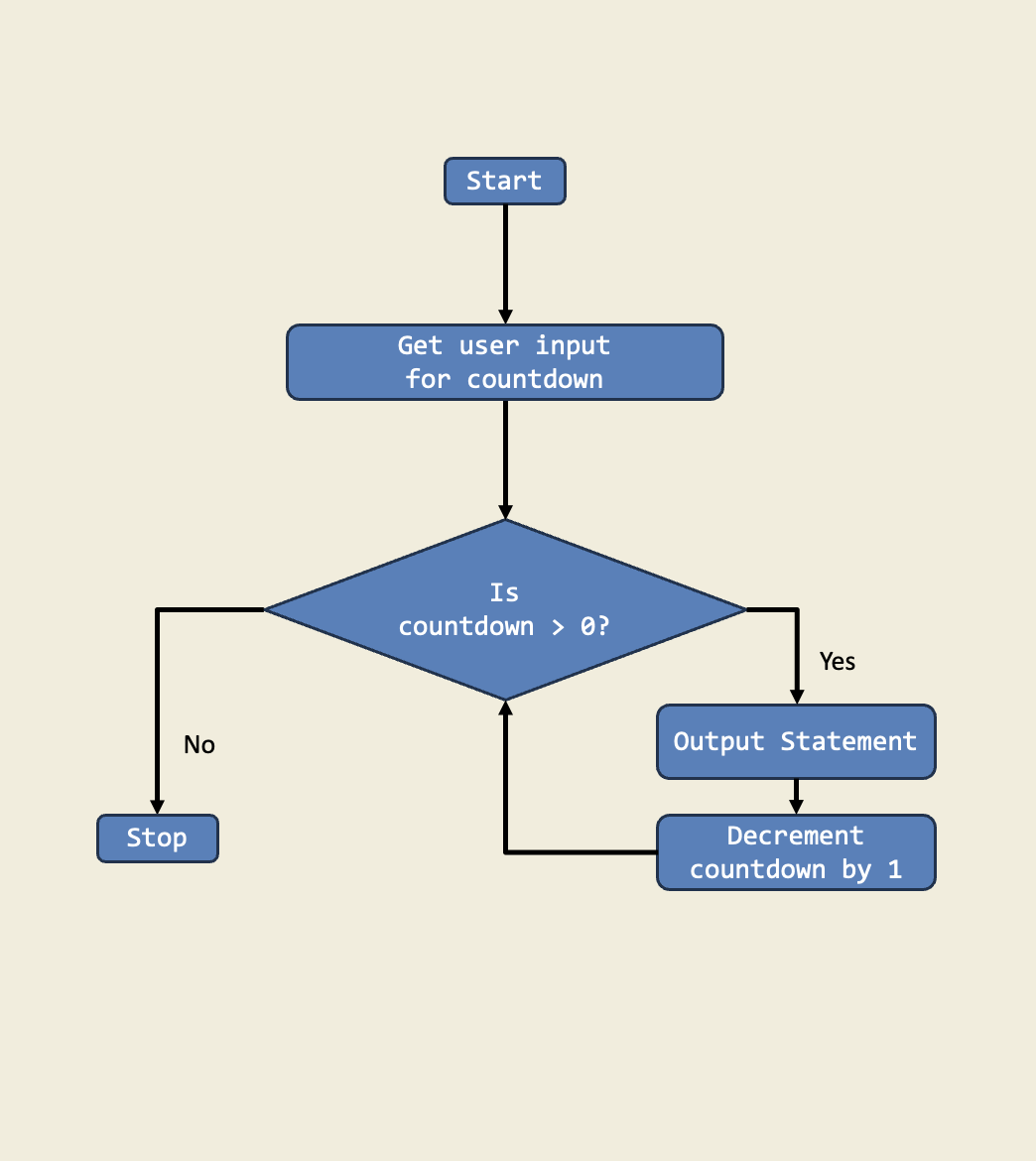
In this project, I built a countdown timer that uses a while loop to count down from a starting number until it reaches 1. This is important because it shows me how to repeat an action until a condition is met.
Diagram: